For data & analytics teams

Get Bicycle running on your stack, step by step.

Build the foundation. Tune the intelligence. Govern self-service.

Connect and model the data once, tune how Bicycle detects and explains change, and set the guardrails that let the business self-serve on numbers it can defend. Every move shows what you decide and what Bicycle drafts.

Example screenshot setRetail-oriented screens for the first pass
Pillar 01 · Build

Build the trusted foundation

Connect once, approve the model once, and every answer the business gets inherits that trust.

You govern: the data model and the KPI definitionsC1Rapid activationC2Vertical native contextC5Defensible answers
The agent doing the work

Auto-onboarding Agent

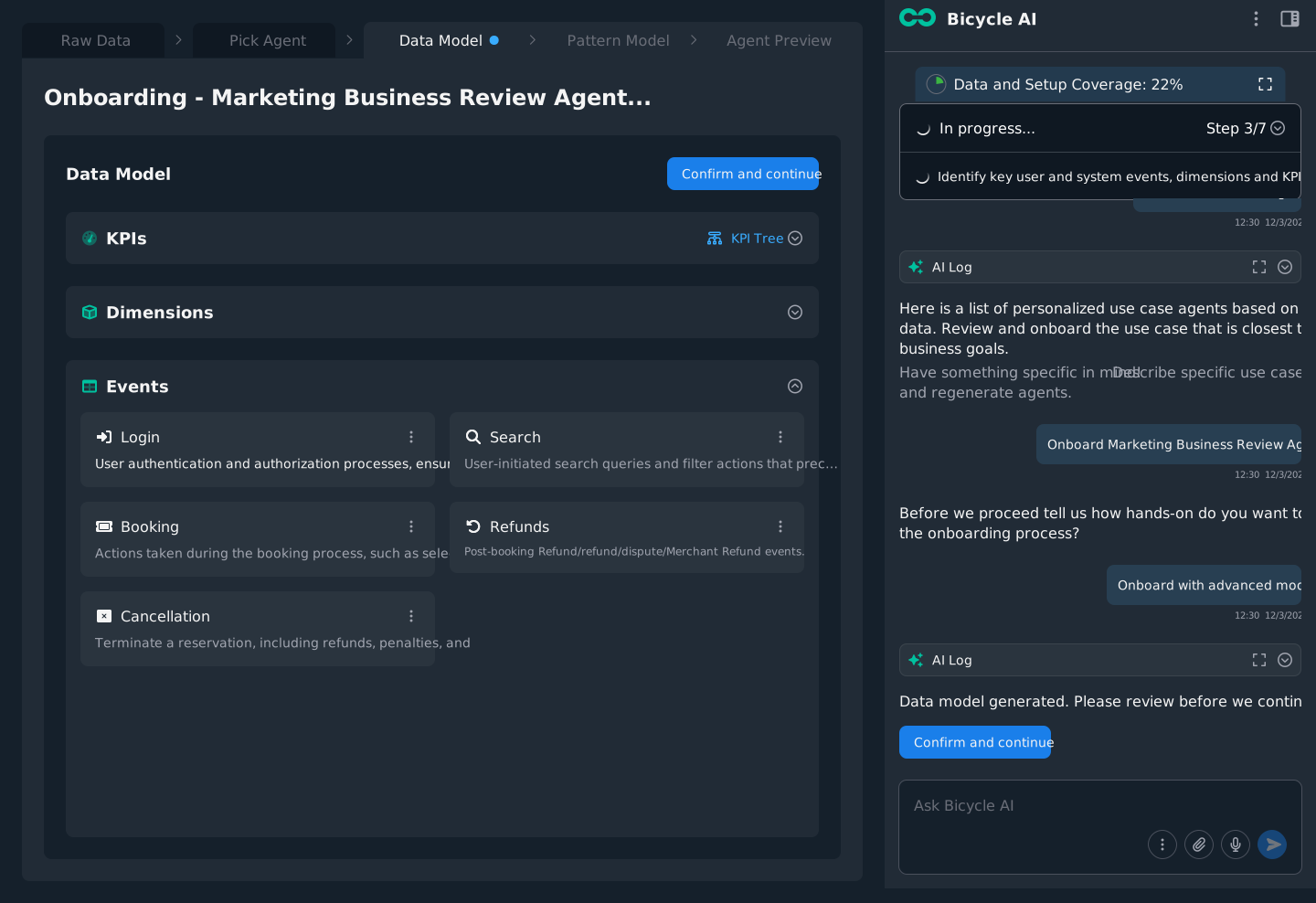
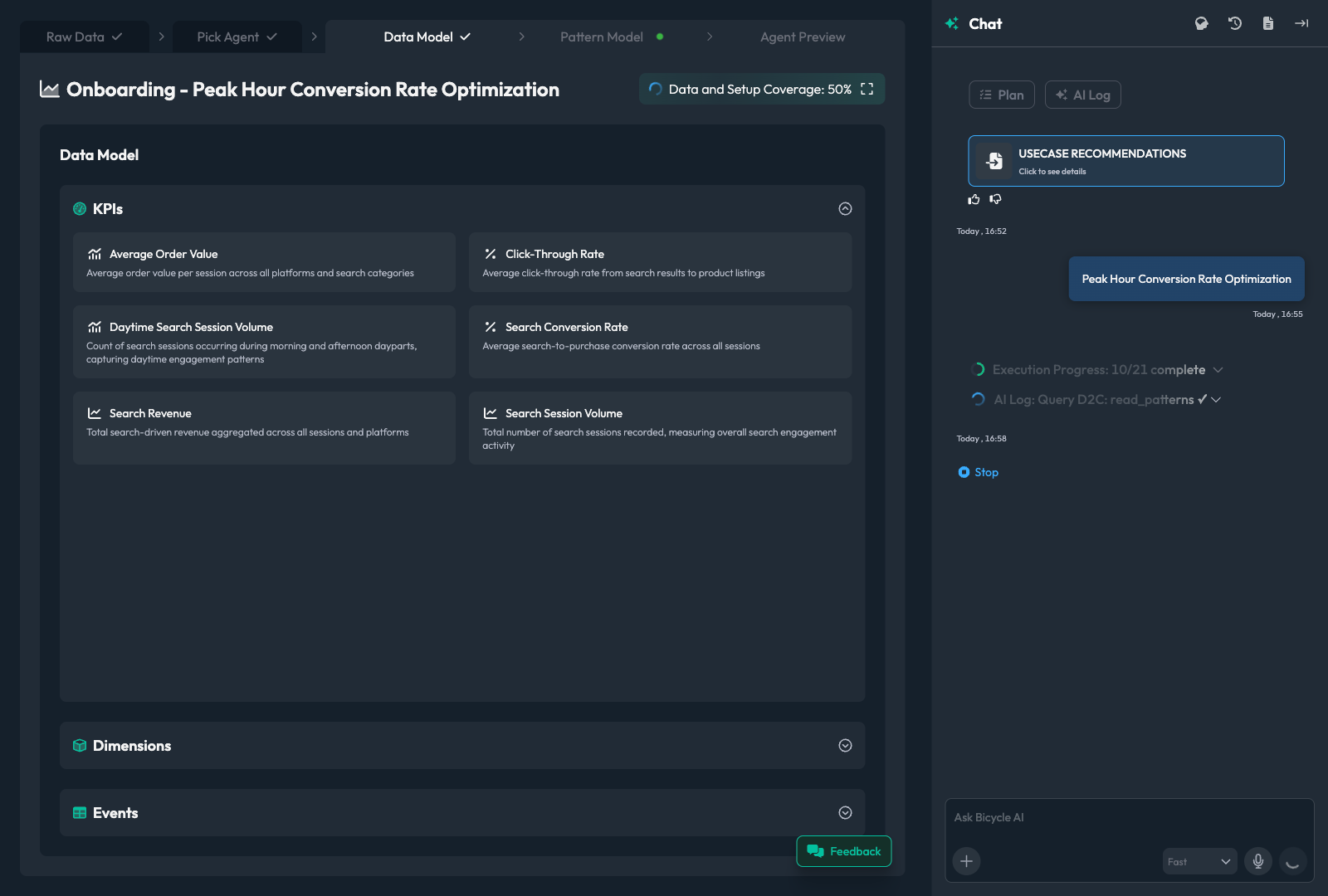
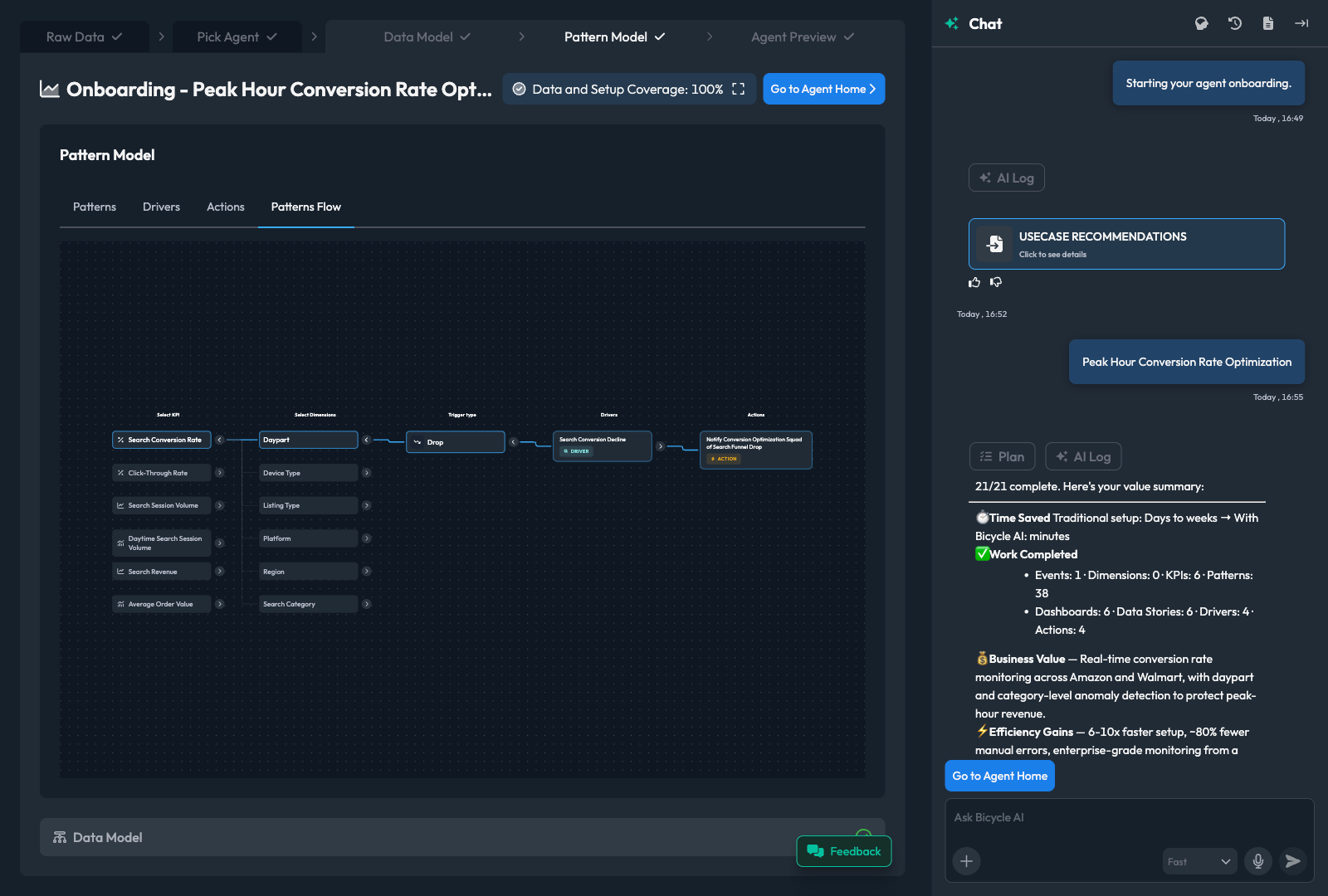
The Auto-onboarding Agent reads your connected sources and drafts the model: events, dimensions, measures, KPIs, and cohorts, with coverage gaps flagged. Your team reviews and approves every draft before any business user relies on it.
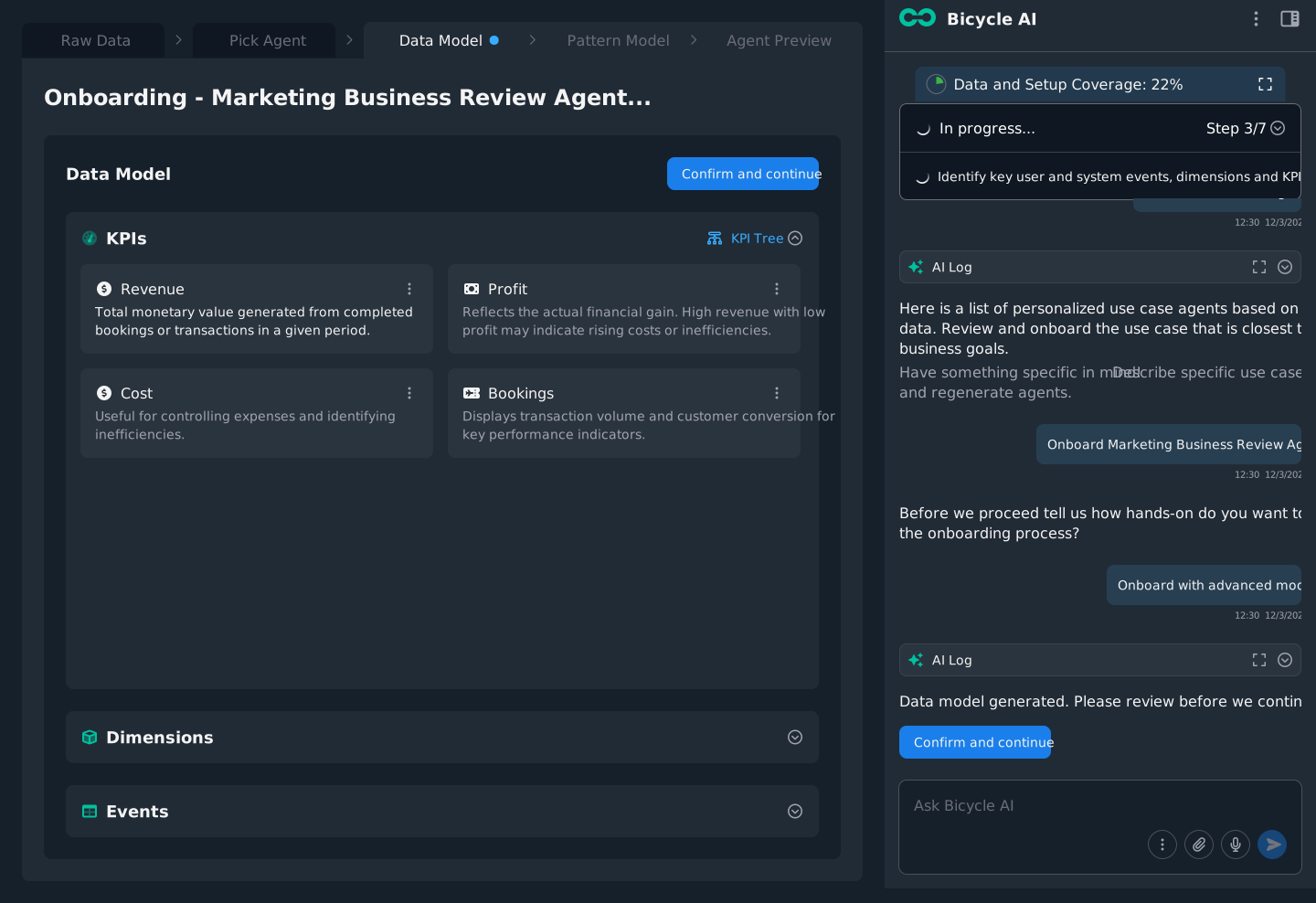
Human-in-the-loop
app.bicycle.ai data modelreview

What you get: a governed KPI tree. Every KPI carries a definition, a formula, and lineage your team approved, reused across every answer the business gets.

every move is a handoffYou decide· Bicycle drafts

Review the first pass before it becomes trusted

Connect operational signal data once. The Auto-onboarding Agent drafts the model, your team approves it, and every answer the business gets inherits that trust.

You decide
  • Which events, dimensions, and KPIs are real, and how each is defined
  • Approve the model before any business user relies on it
Bicycle drafts
  • Reads your sources and proposes events, dimensions, measures, KPIs, and cohorts
  • Traces each to its lineage and flags the coverage gaps
app.bicycle.ai auto-onboarding agentworking
Building your trusted foundation5 / 9
  • Connected signal data3 sources
  • Auto-drafted events42 mapped
  • Auto-drafted & mapped dimensions18
  • Auto-grouped cohorts by segmentrevised by you
  • Auto-drafted KPIs & formulas9
  • Tracing lineage to source eventsrunning…
  • Flag coverage gaps for review
  • Derive cohorts from dimensions
  • Publish the governed KPI tree
The setup, screen by screenLive screens enlarge on click. Pending screens are flagged for commissioning.
STEP 01
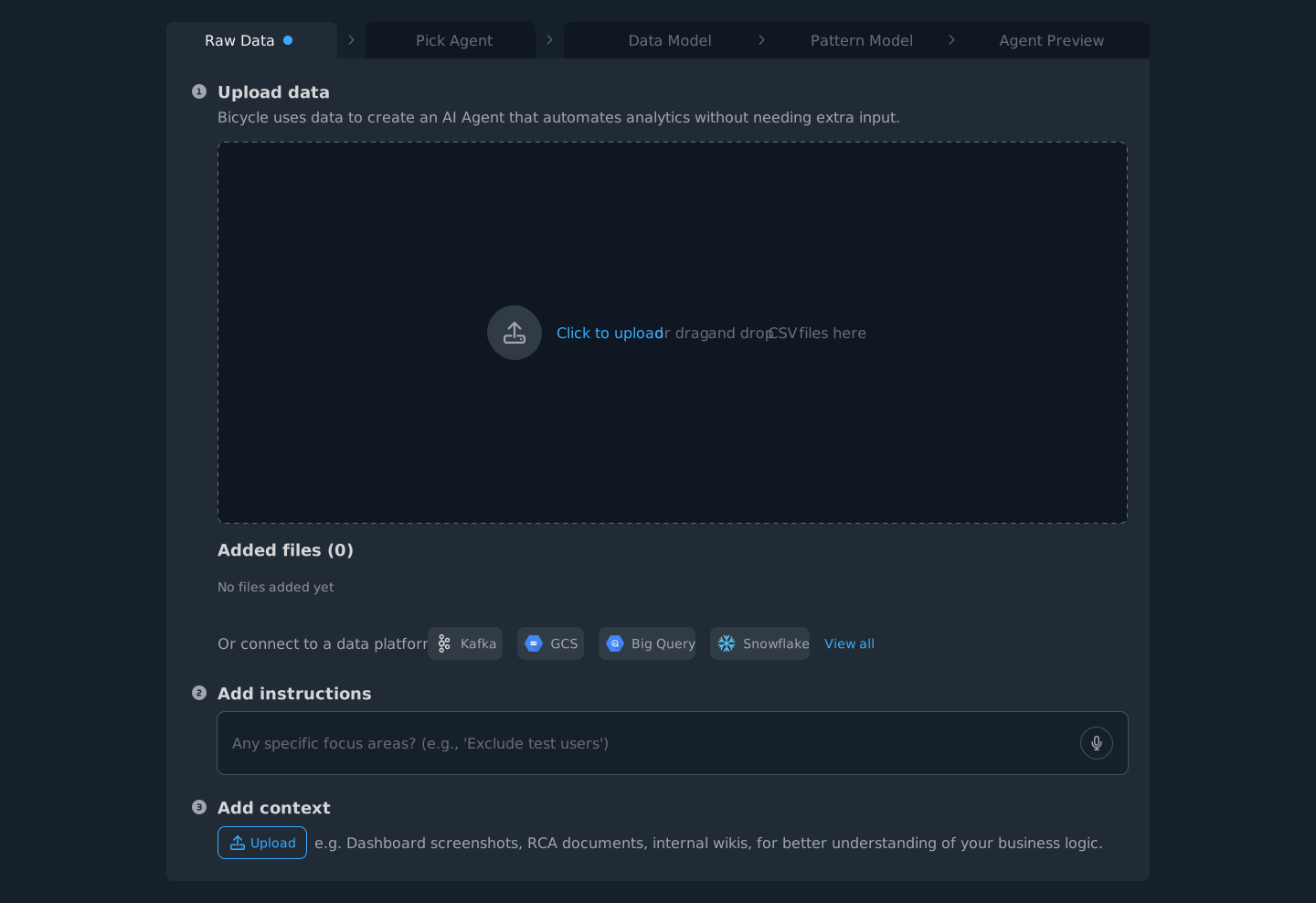
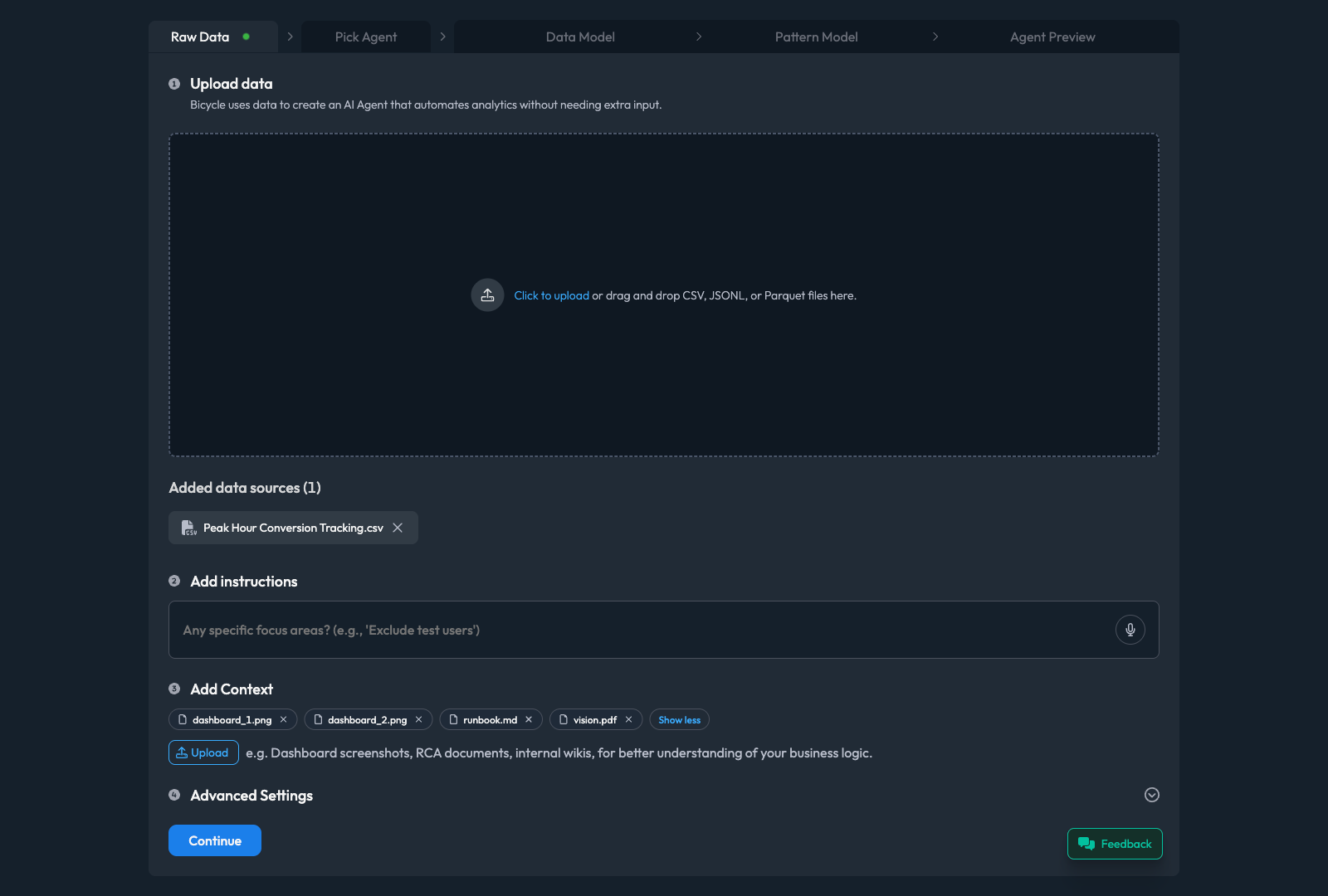
Connect your signal data
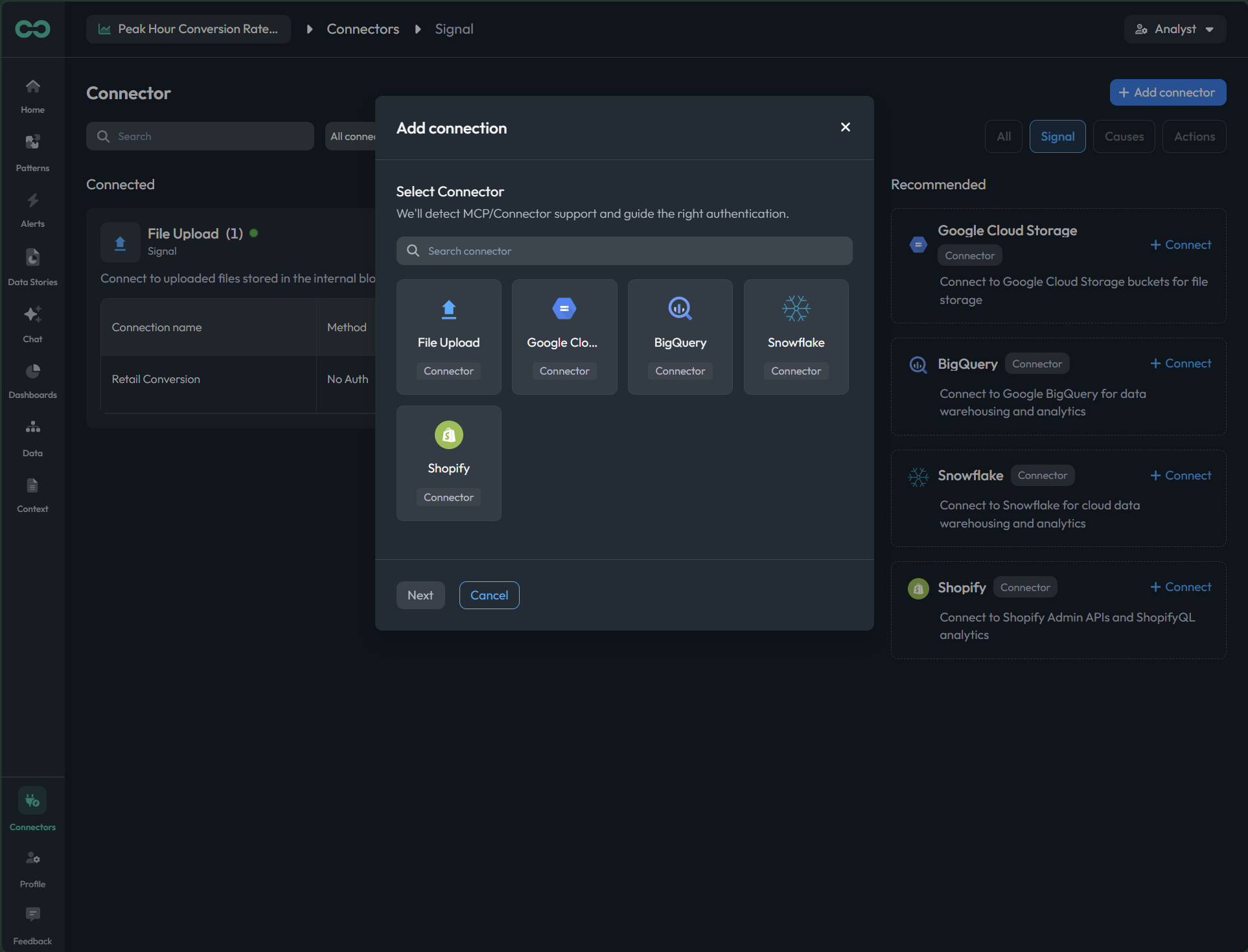
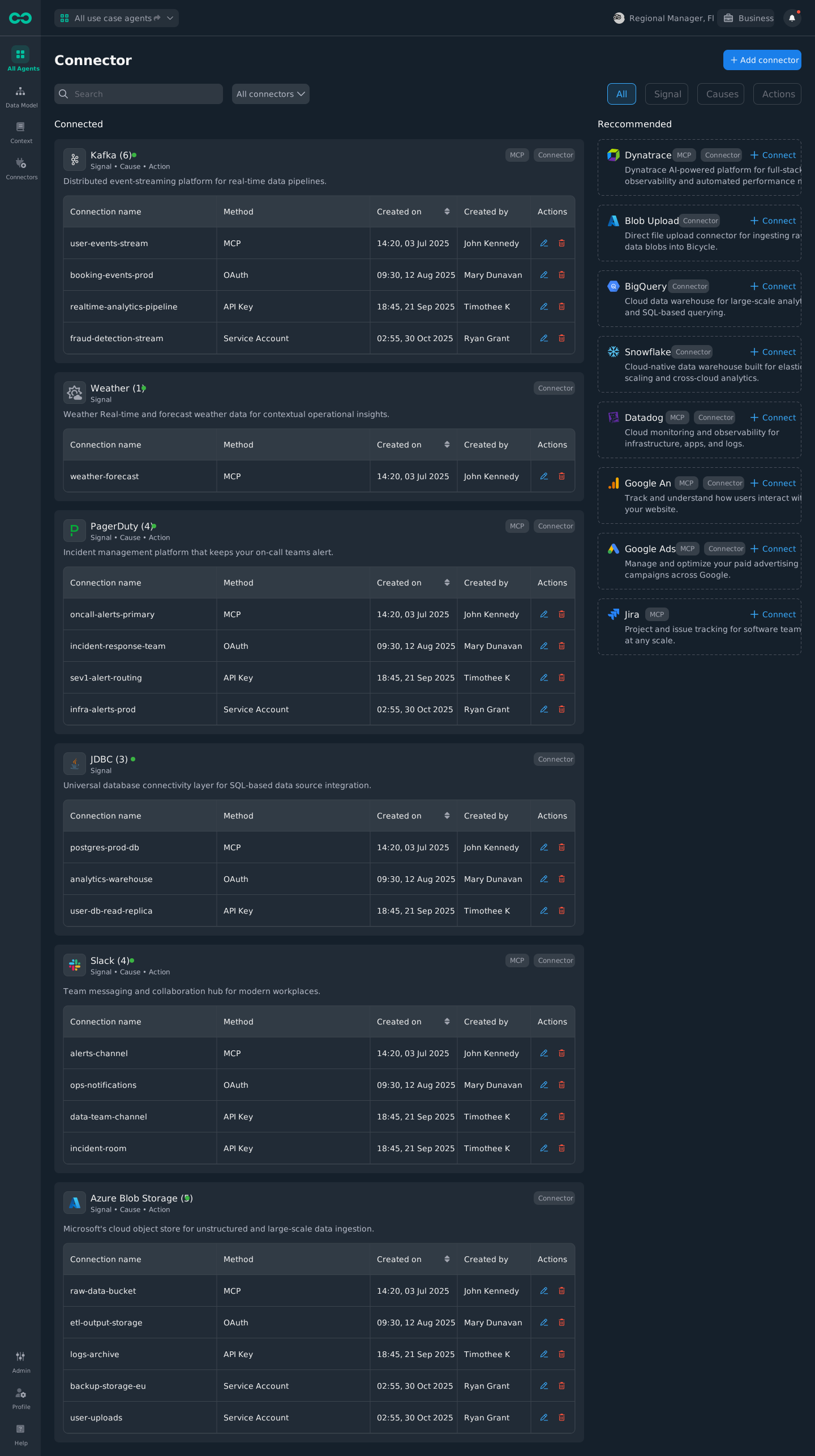
Point Bicycle at the events that drive your KPIs: bookings, payments, checkouts. Connect a warehouse, a stream, a database, or a daily file.
5 live
app.bicycle.ai raw datapreview
01Upload or drag a file to start from a sample.
app.bicycle.ai connectionspreview
02Connect a warehouse, read-only, no copy.
app.bicycle.ai connectionspreview
03Connect a stream for events as they happen.
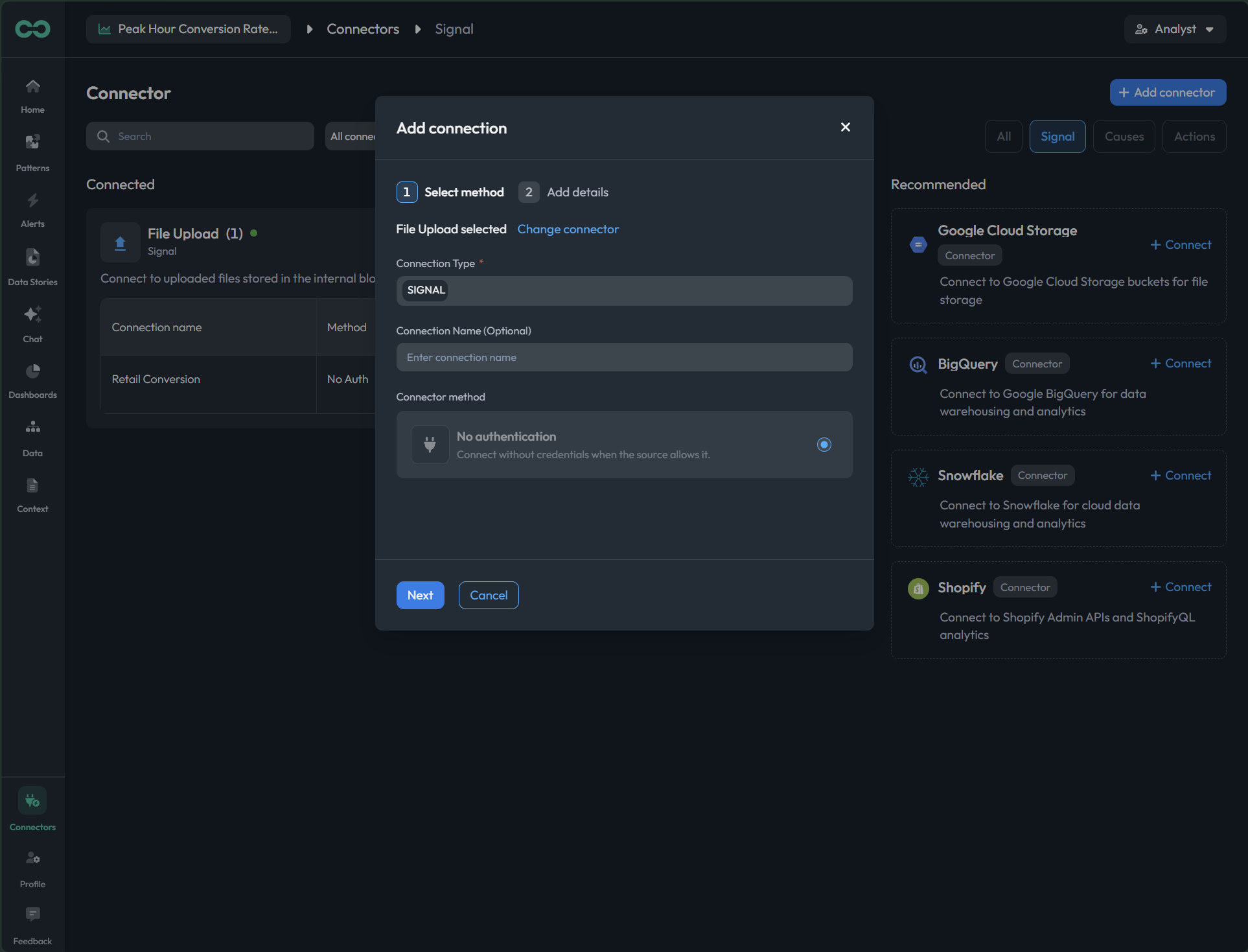
app.bicycle.ai connectionspreview
04Connect a database or a daily CSV / Parquet drop.
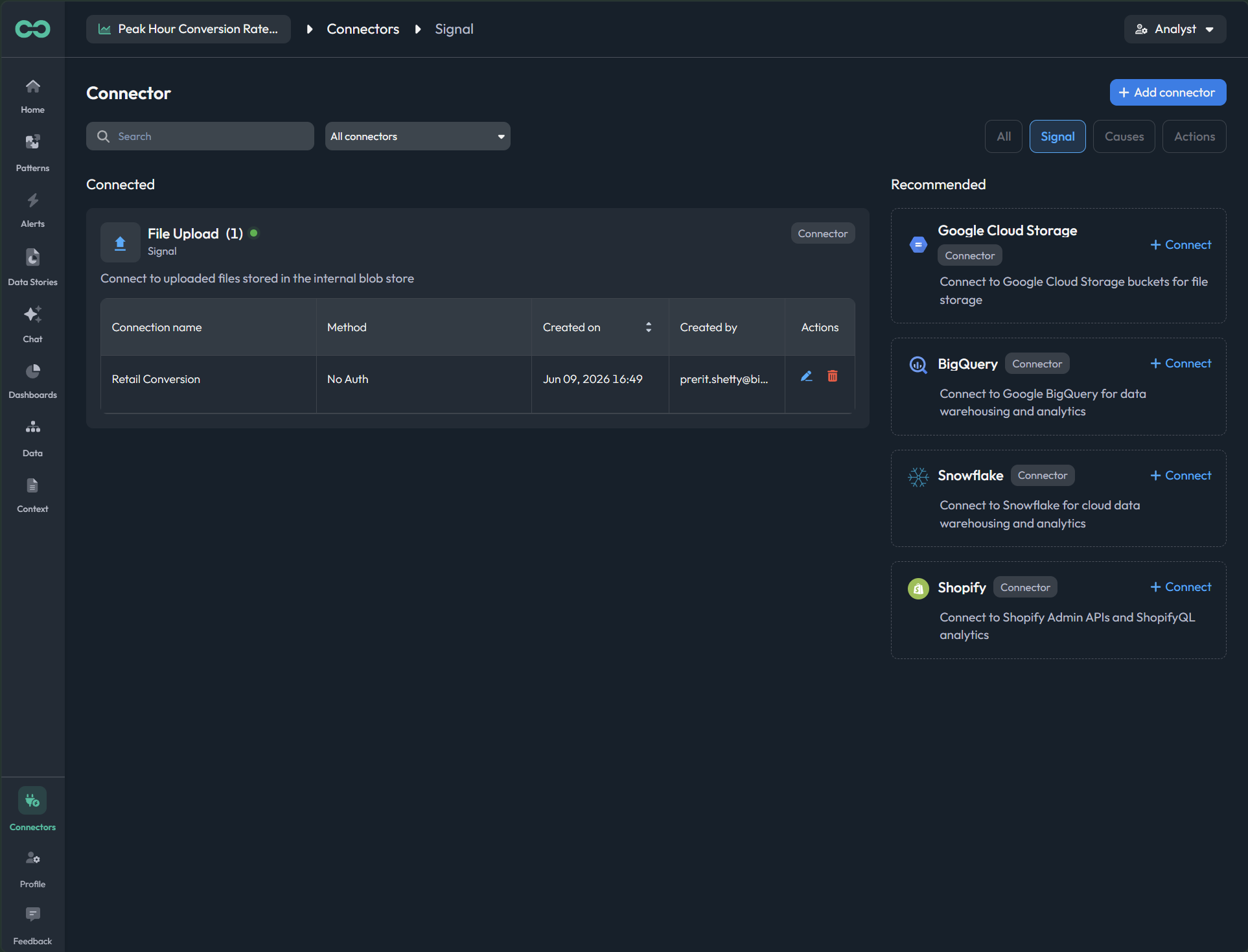
app.bicycle.ai connectorspreview
05Every connected source in one place.
1 / 5
STEP 02
Review & manage events
Approve or reject the events Bicycle maps from your sources before they become shared truth.
live screen
app.bicycle.ai eventspreview
STEP 03
Review & manage dimensions
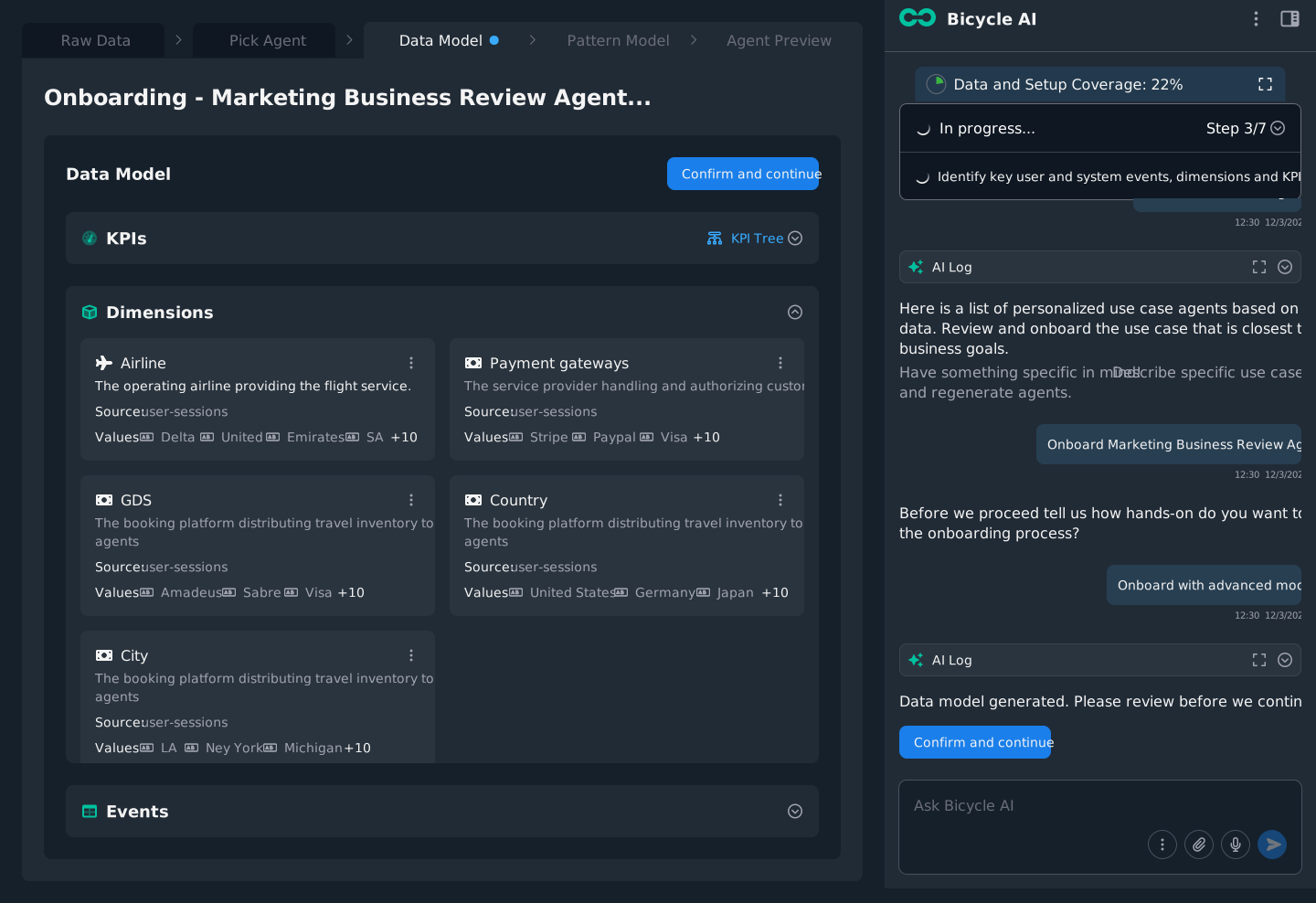
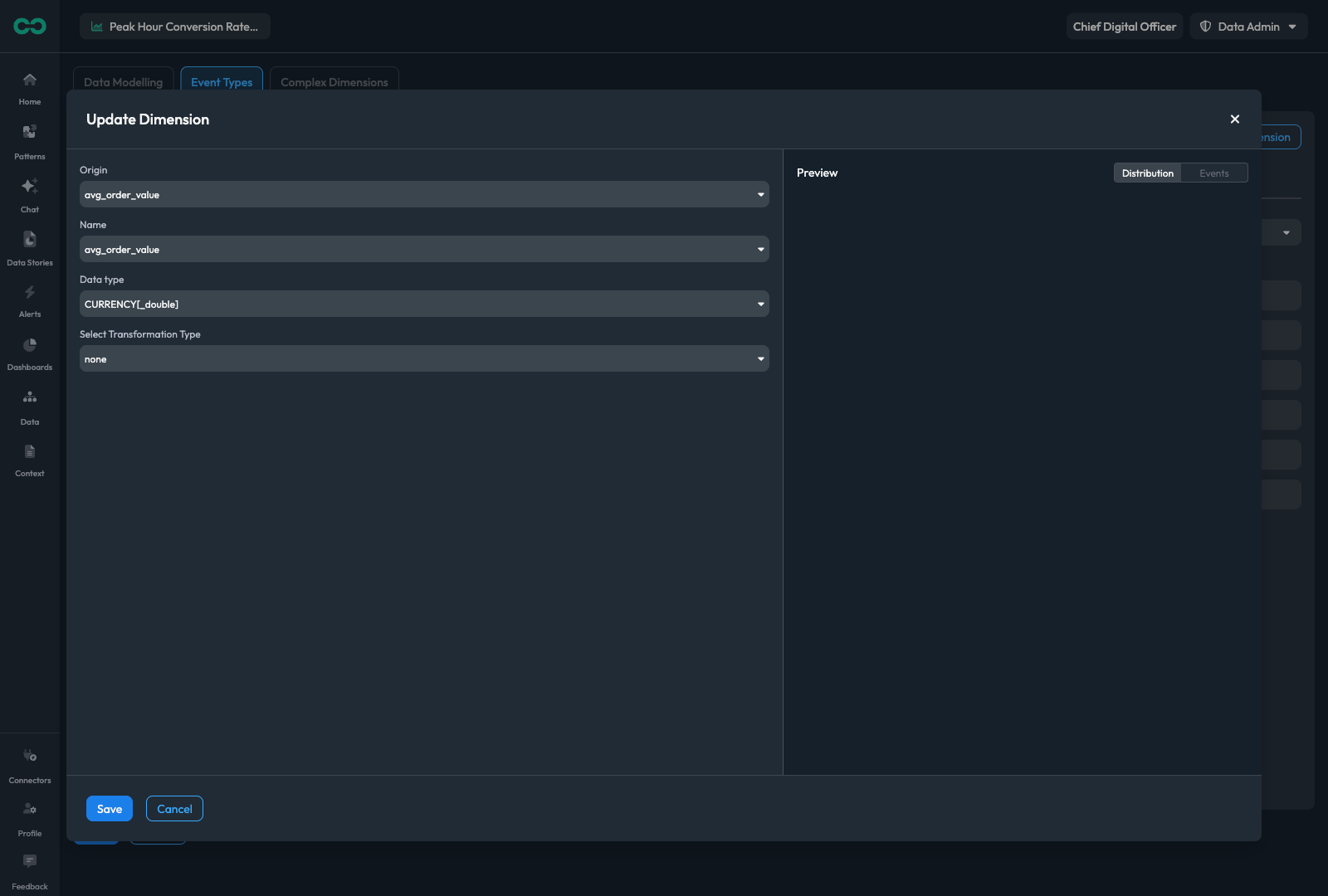
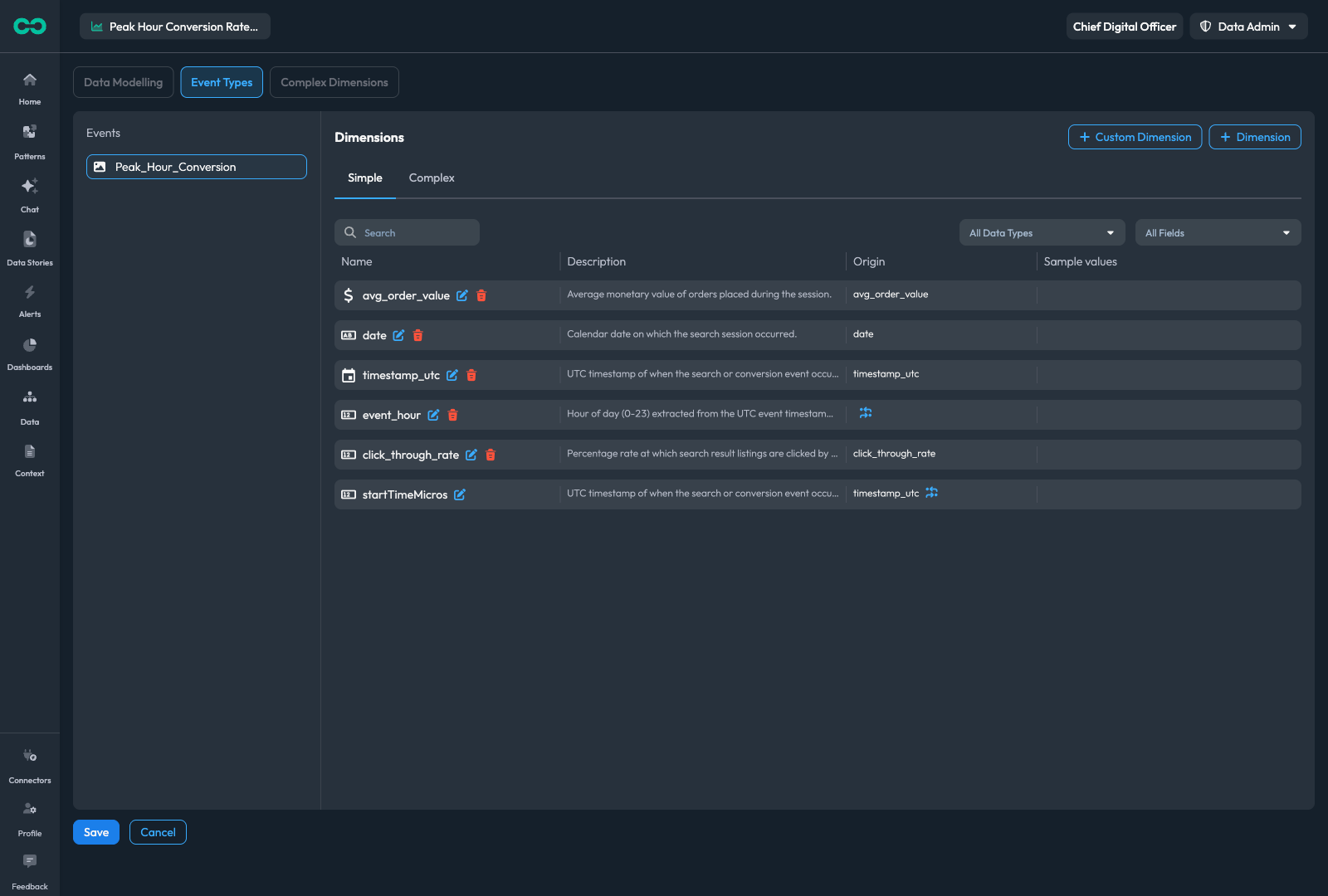
Confirm the dimensions your team segments by, map raw columns to them, and roll details up into the cohorts you report on.
3 live
app.bicycle.ai dimensionspreview
01Approve the dimensions Bicycle proposes.
app.bicycle.ai data modelpreview
02Map raw columns (Time, Amount, merchant-id) to dimensions.
app.bicycle.ai data modelpreview
03Derive a cohort: merchant-id becomes a merchant tier.
1 / 3
STEP 04
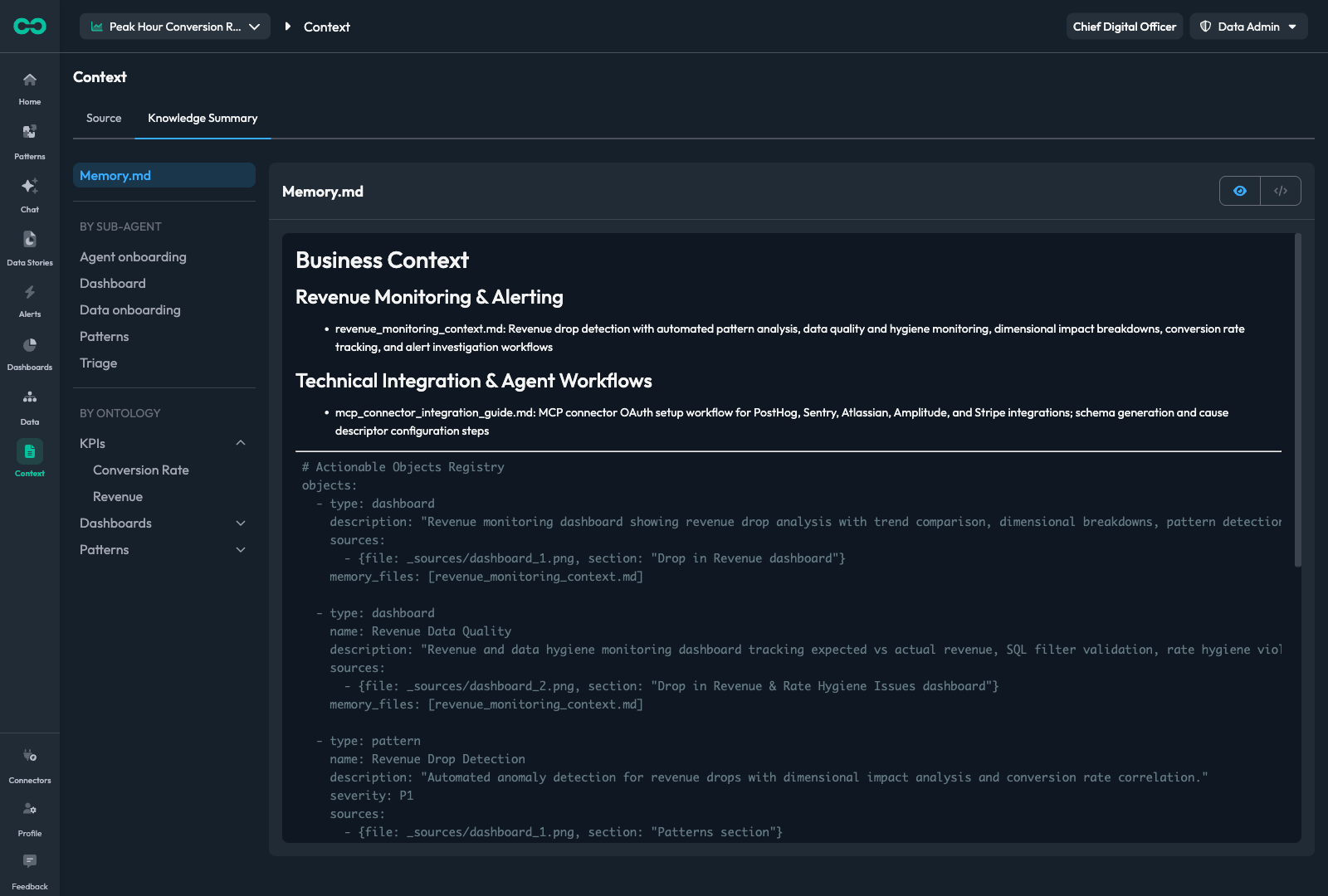
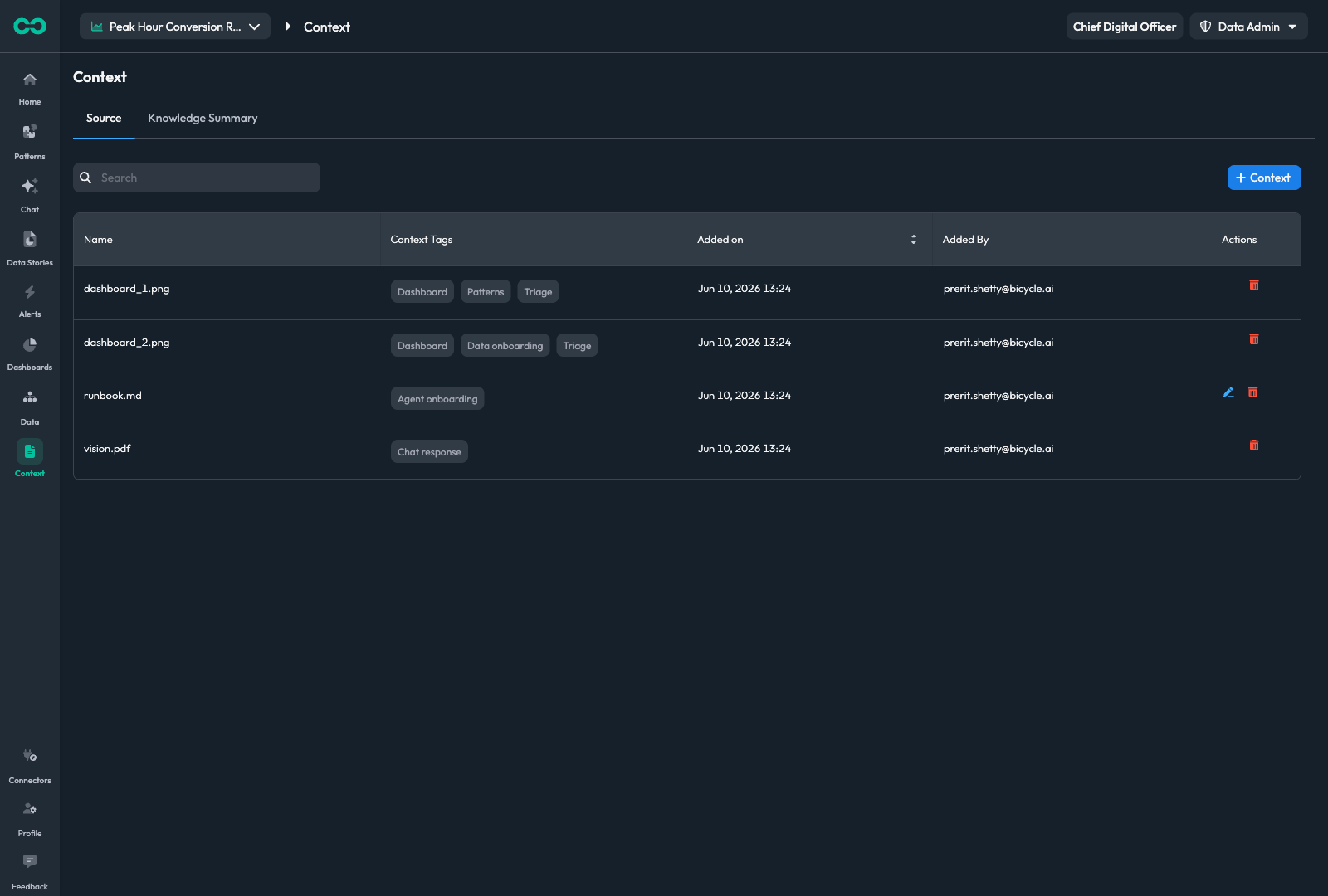
Onboard your context
Add the docs, screenshots, and links so Bicycle reads the numbers the way your team does.
3 live
app.bicycle.ai contextpreview
01Add screenshots Bicycle should learn from.
app.bicycle.ai contextpreview
02Add runbooks, definitions, and pasted text.
app.bicycle.ai contextpreview
03Point Bicycle at wikis and pages that explain the business.
1 / 3
STEP 05
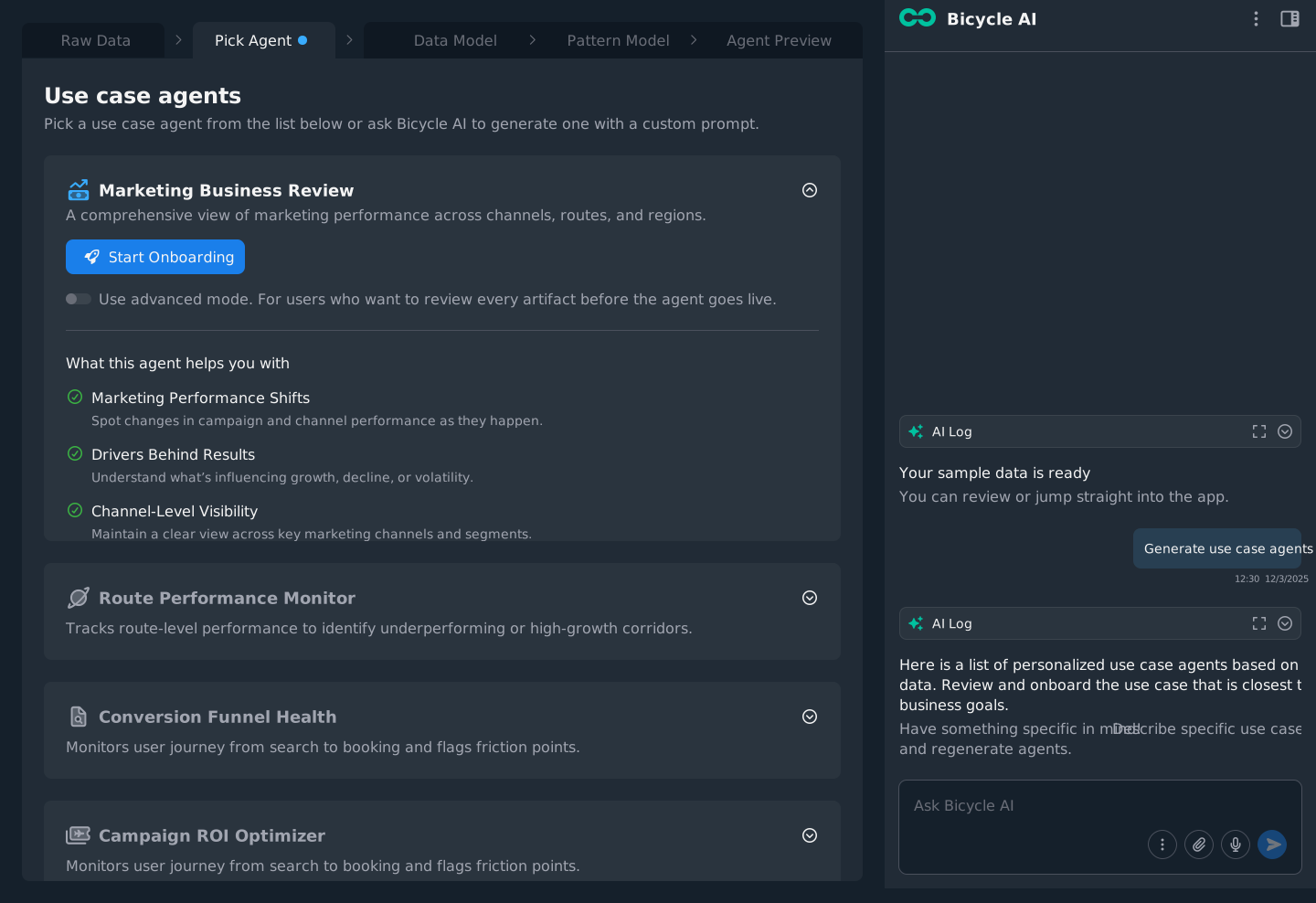
Pick the Analytics Agent
Start from a vertical pre-build or describe your own. It scopes what gets watched and acted on.
live screen
app.bicycle.ai pick agentpreview
STEP 06
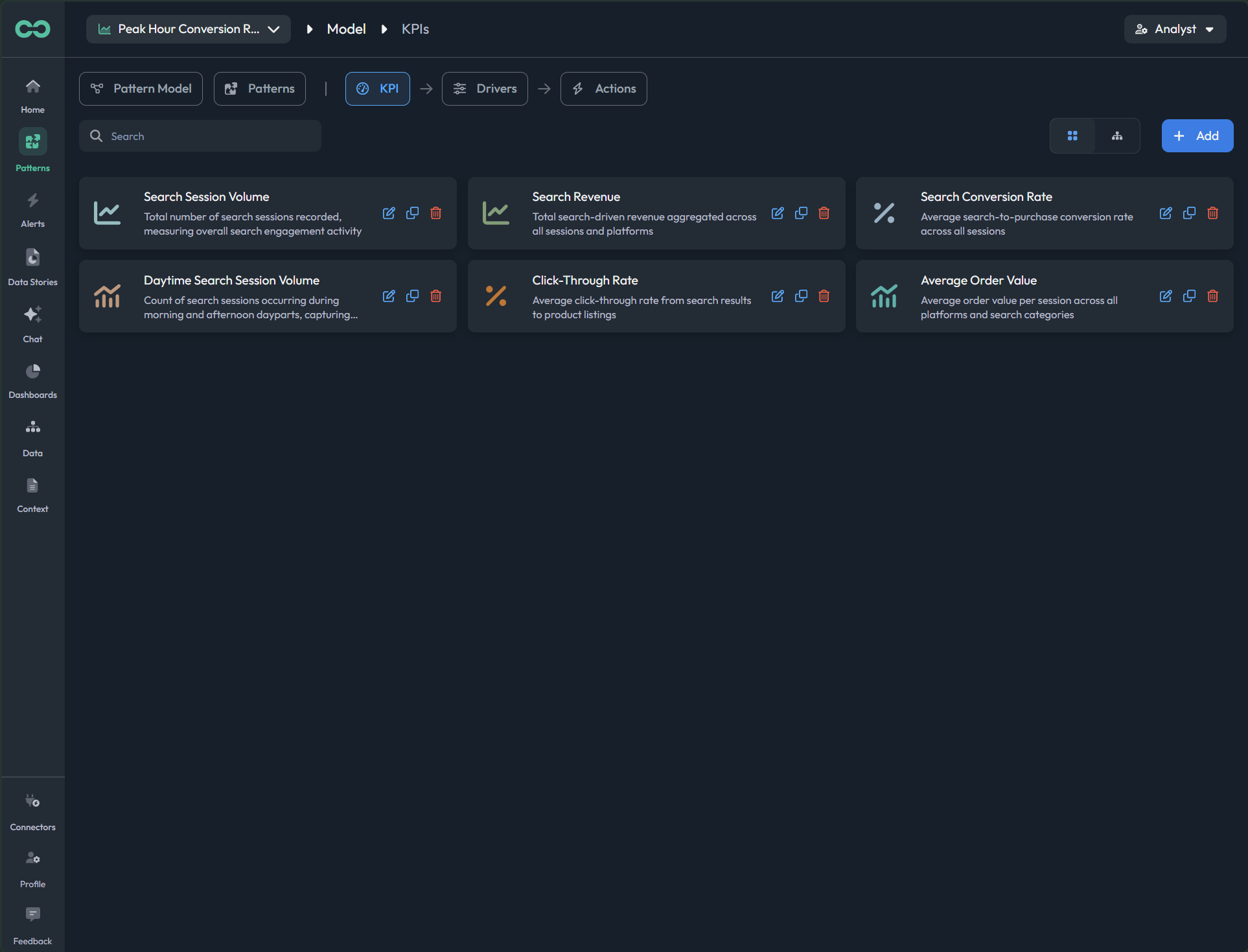
Review & manage KPIs
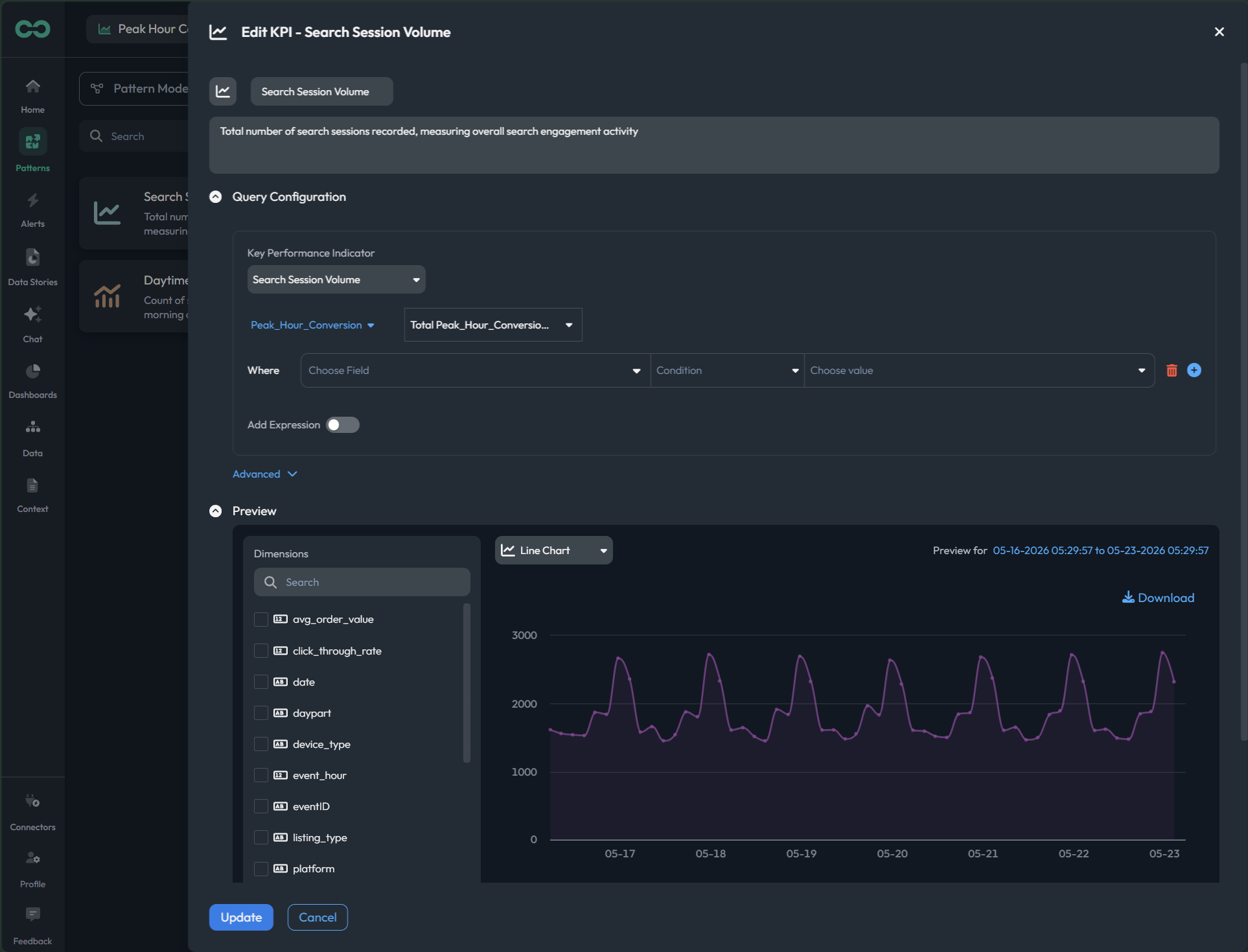
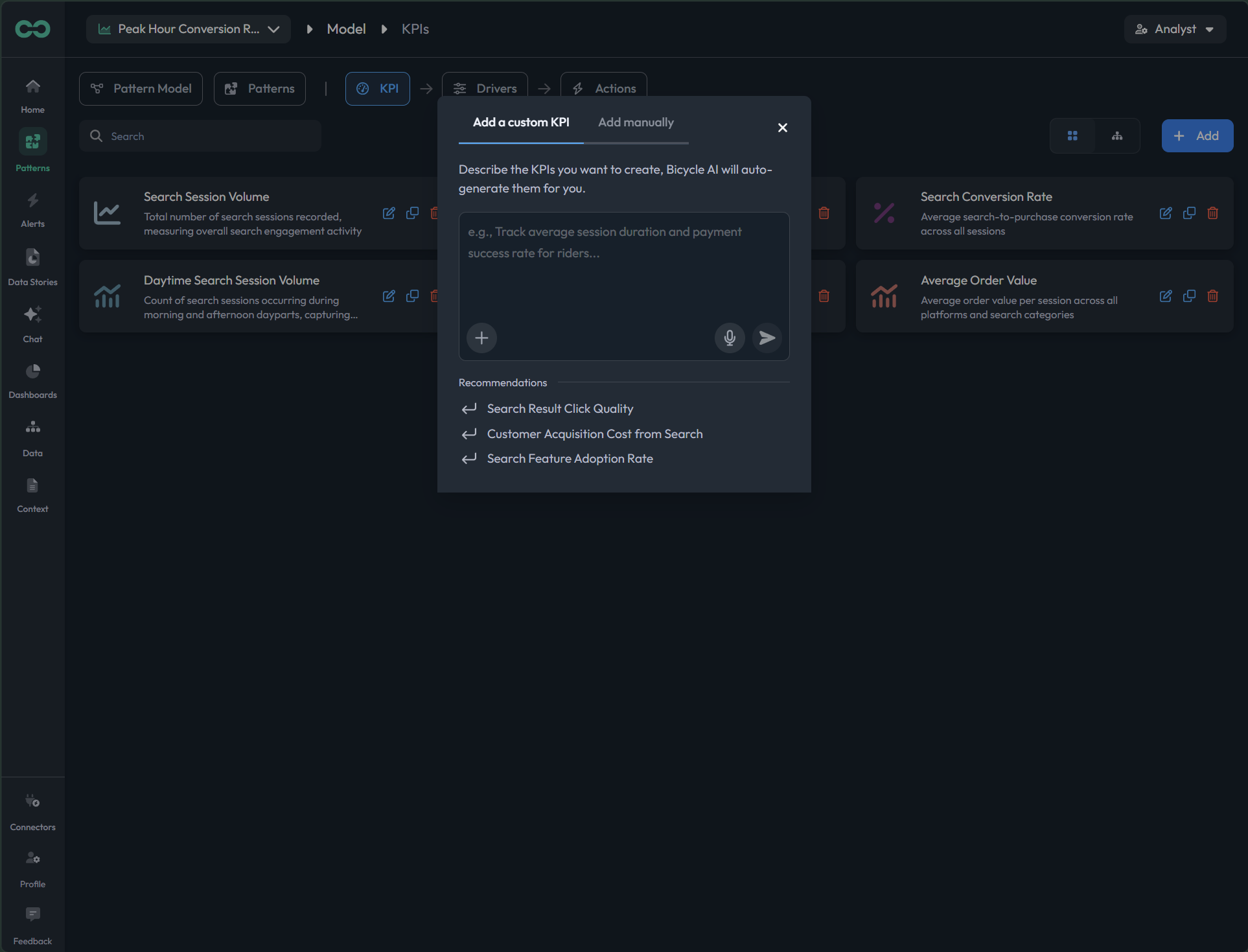
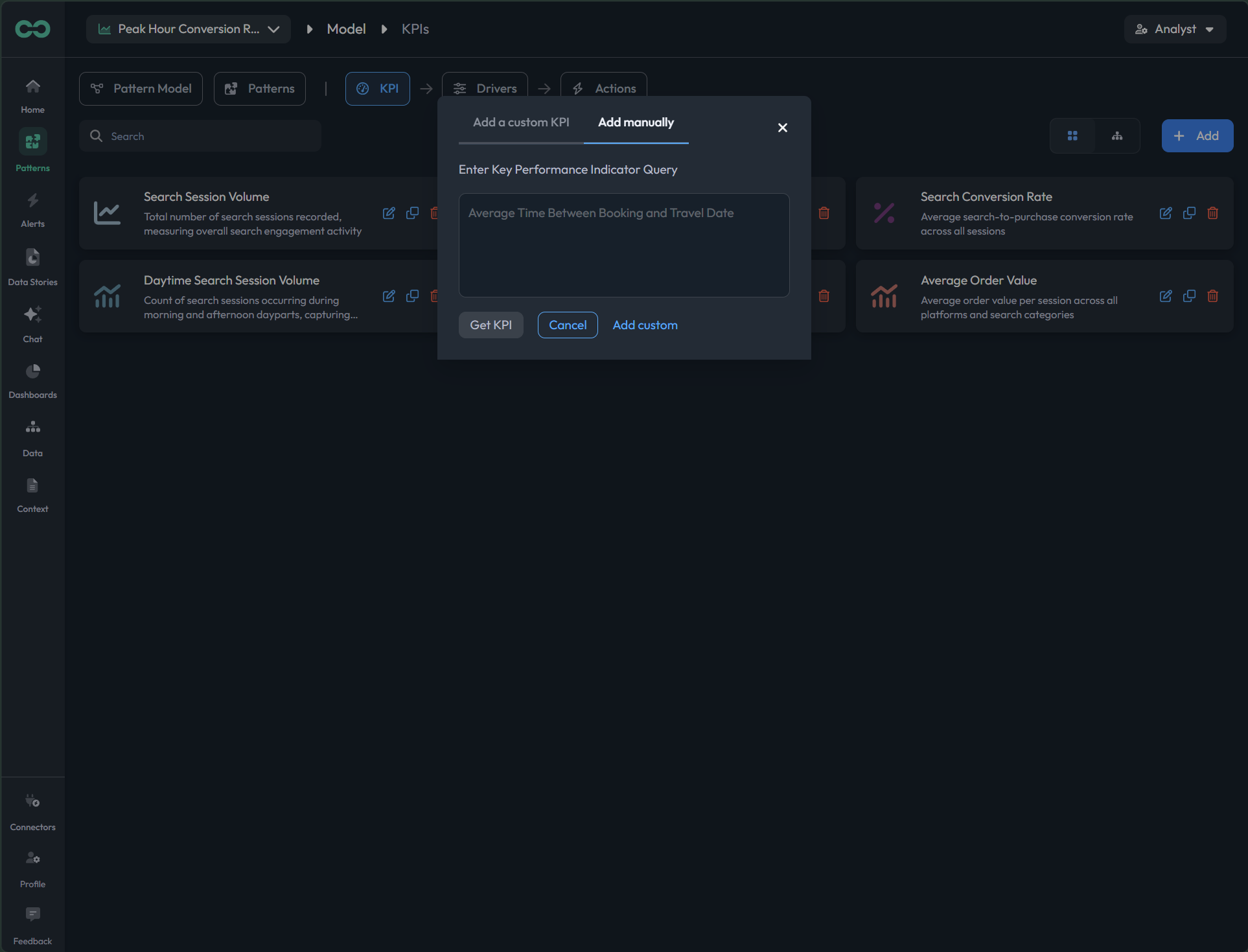
Bicycle auto-drafts your KPIs with definitions and lineage. Review every formula, verify the data, add or remove, and import what you already have.
8 live
app.bicycle.ai data modelpreview
01Start with how a strong KPI set is shaped.
app.bicycle.ai data modelpreview
02Bicycle auto-drafts the KPIs; review, add, or remove.
app.bicycle.ai data modelpreview
03See every KPI in the governed tree, traced to source.
app.bicycle.ai data modelpreview
04Open a KPI to read and edit its formula.
app.bicycle.ai data modelpreview
05Verify a KPI's numbers against the source.
app.bicycle.ai data modelpreview
06Describe a metric in words; Bicycle drafts the formula.
app.bicycle.ai data modelpreview
07Drop a KPI that does not belong in the set.
app.bicycle.ai data modelpreview
08Import existing definitions from dbt, lineage intact.
1 / 8
STEP 07
Review & manage cohorts
Bicycle proposes the cohorts your team segments by. Review each definition, add what you need, and drop the rest.
3 live
app.bicycle.ai data modelpreview
01Review how a proposed cohort is defined.
app.bicycle.ai data modelpreview
02Add a cohort your team reports on.
app.bicycle.ai data modelpreview
03Drop a cohort that does not earn its place.
1 / 3
STEP 08
Add data as you grow
Add a new table or source as the business grows. The definitions you already trust stay intact.
live screen
app.bicycle.ai data modelpreview
The spec, at a glance
What you're getting

A governed data model and KPI tree the whole business inherits.

What you provide

Read access to the sources that drive your KPIs, plus your context docs.

What Bicycle drafts

Inspects the sources and proposes events, dimensions, KPIs, cohorts, context, and starter patterns.

What you review and manage

Definitions, formulas, dimensions, cohorts, and lineage before anything reaches business views, then over time.

Supported sources
Security & data handling

Customer-approved sources only. AES-256 at rest, TLS in transit. SaaS on GCP (US) with tenant isolation, or BYOC where raw data stays in your cloud.

What "done" looks like

Every business-facing KPI carries a definition, a formula, and lineage you approved.

What happens if…

A source changes or a definition needs an edit? Update once; downstream trust holds.

Governance

Nothing reaches business users until a modeler or admin signs off. Every change is logged.

In practiceConnect the sources that drive your KPIs and approve the model once, before the business relies on it.
Enables business Know
Pillar 02 · Tune

Tune the intelligence layer

Detection scattered across dashboards, SQL alerts, and analyst habit misses the one segment that matters. Tune what Bicycle watches, how it explains a move, and the safe next step, once, in one layer.

You govern: the detection logic, the cause model, and the action guardrailsC3Always on KPI IntelligenceC4Multi factor cause AnalysisC6Governed actions
The agent doing the work

Pattern Agent + Triage Agent

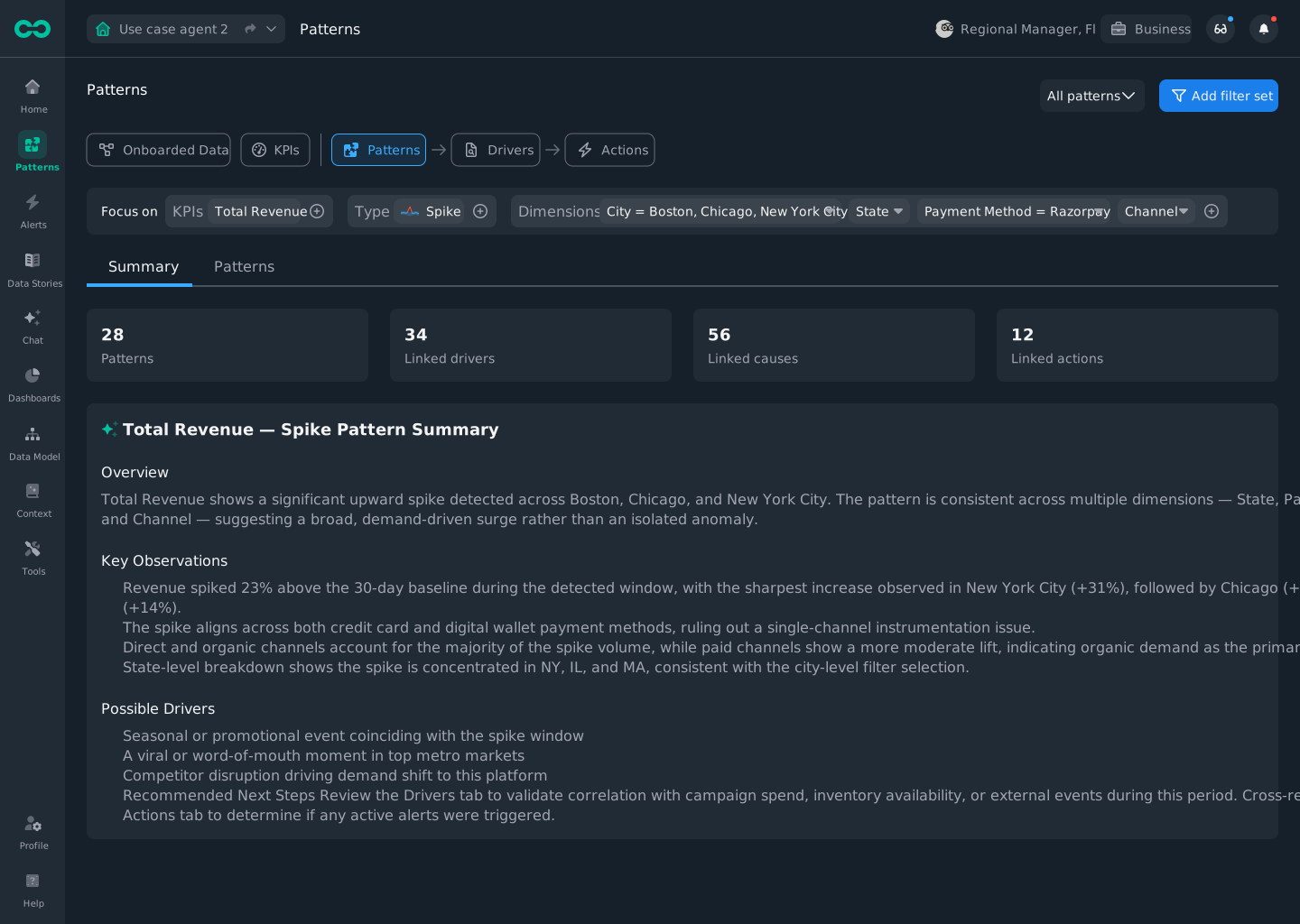
The Pattern Agent watches your governed KPIs per segment and surfaces what changed. The Triage Agent ranks the likely causes with evidence and drafts the recommended action. Your team approves what they watch, explain, and do, before the business sees it.
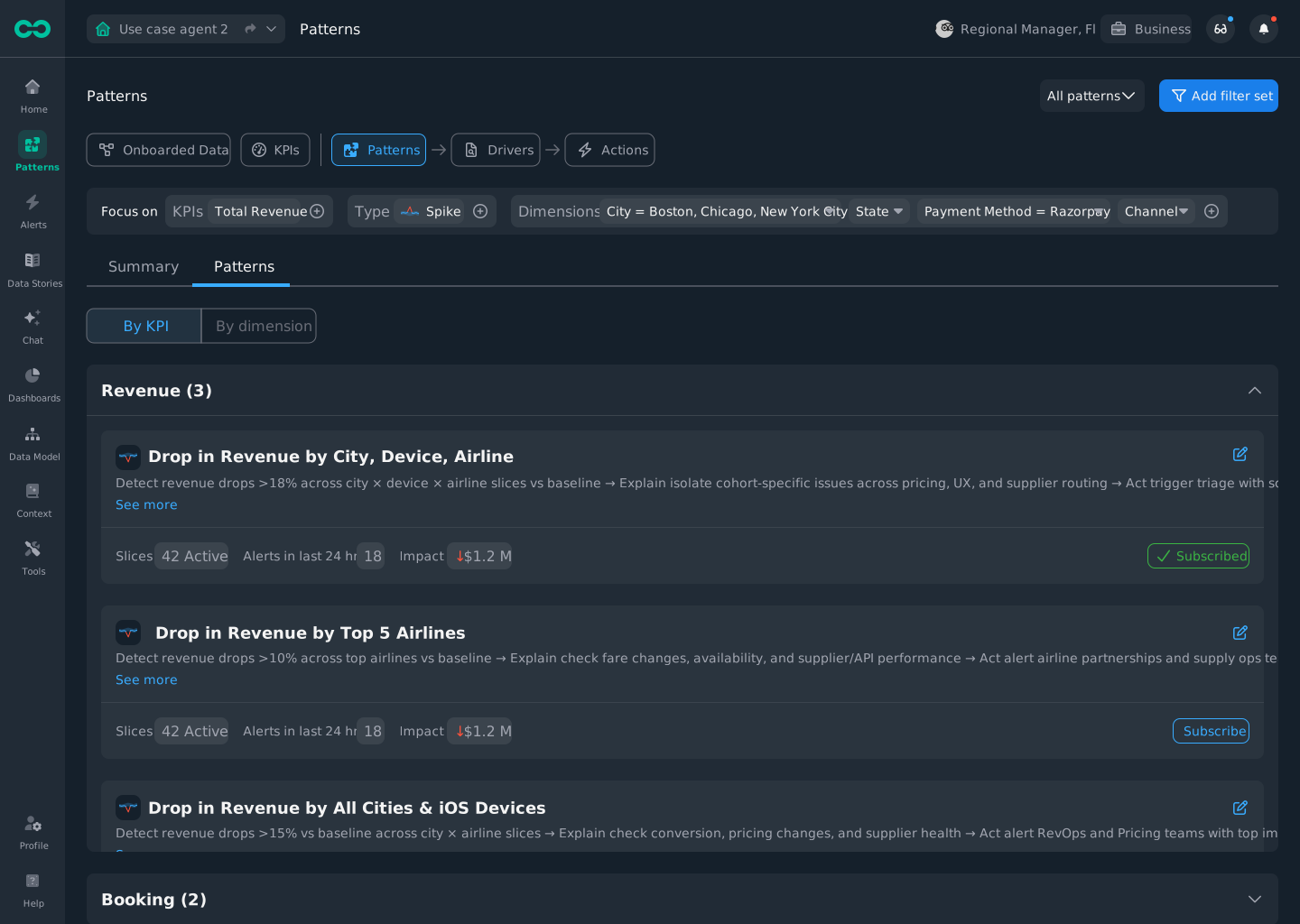
Human-in-the-loop
app.bicycle.ai overviewpreview

Bicycle watches every governed KPI per segment, not just the blended number, so a single-segment drift surfaces before the average moves.

every move is a handoffYou decide· Bicycle drafts

Tune what Bicycle watches, explains, and acts on

Detection, cause, and the recommended action live in one layer on your governed model. Tune them once, approve what the business can use, and every answer it gets inherits what you set.

You decide
  • What Bicycle watches, how it explains a move, and what action is safe
  • Approve patterns, reasoning, and actions before the business sees them
Bicycle drafts
  • Detects per segment, ranks causes with evidence, recommends the next step
  • Shows what it ruled out and what would have fired on replay
app.bicycle.ai pattern modelpreview
The tuning, screen by screenLive screens enlarge on click. Pending screens are flagged for commissioning.
STEP 01
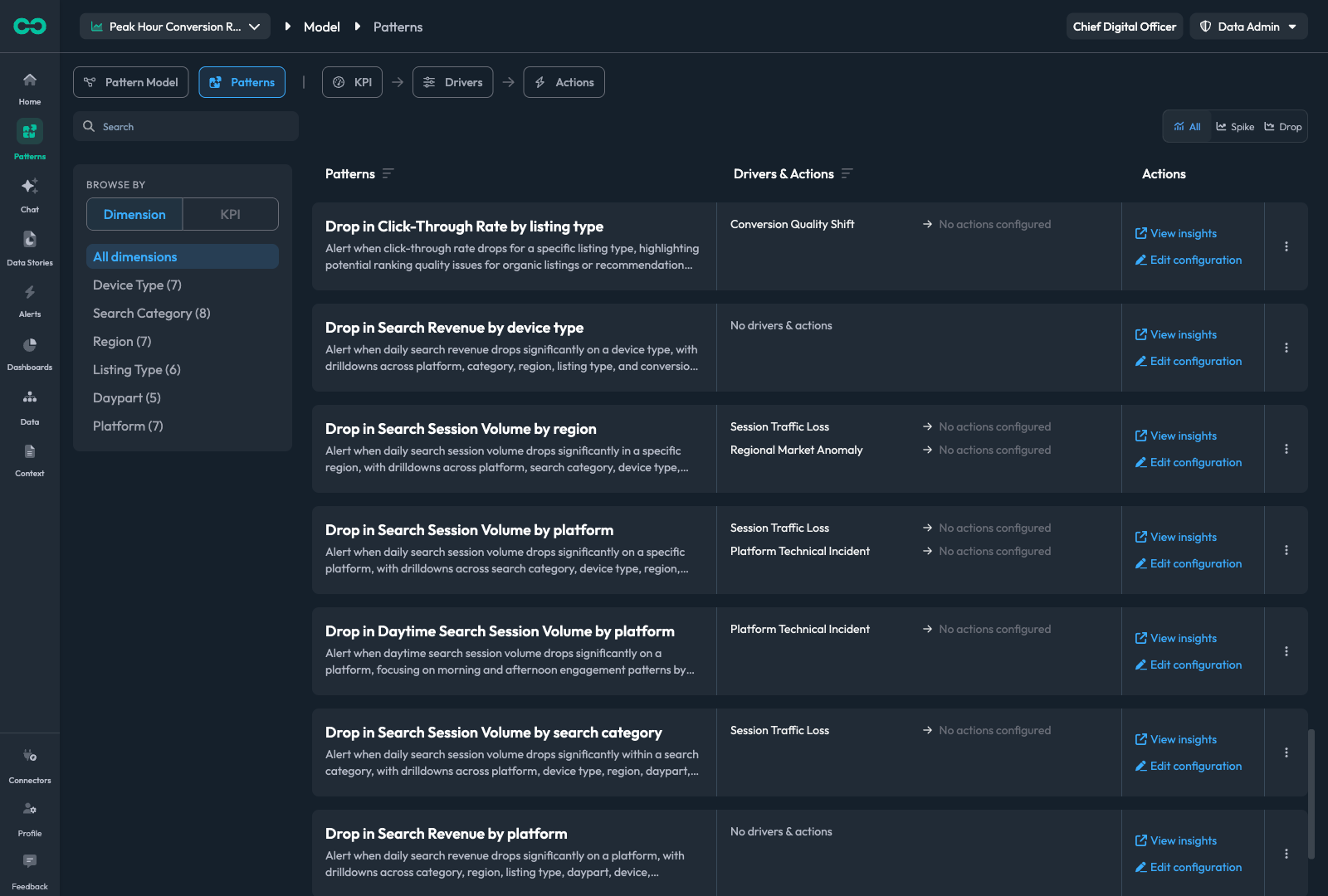
Review the pattern detection Bicycle generated
Decide what Bicycle watches and when a signal is worth surfacing. Review the generated patterns, set the detection method, tune suppression and minimum impact, replay history, then publish.
5 live
app.bicycle.ai patternspreview
01Review the patterns Bicycle drafted for your KPIs.
app.bicycle.ai patternspreview
02Pick how a move is detected, per pattern.
app.bicycle.ai patternspreview
03Tune suppression, triggers, and minimum impact.
app.bicycle.ai patternspreview
04Backtest: see what would have fired over history.
app.bicycle.ai patternspreview
05Publish it live for the segments it watches.
1 / 5
STEP 02
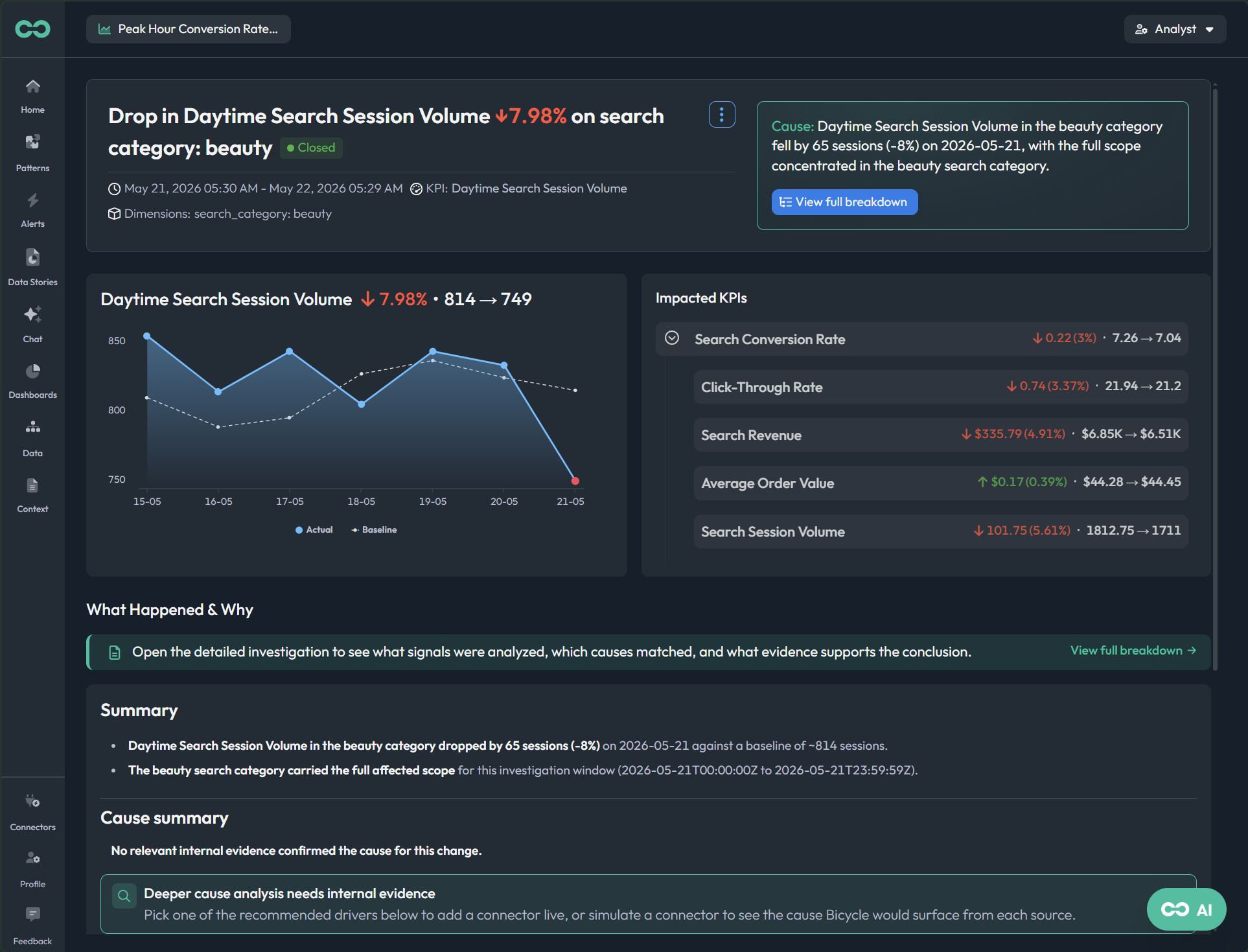
Review the cause analysis
Inspect the driver tree, the ranked causes, the evidence, the confidence, and what was ruled out. Accept, reject, annotate, or rerun before the business relies on it.
live screen
app.bicycle.ai triagepreview
STEP 03
Add drivers and cause connectors
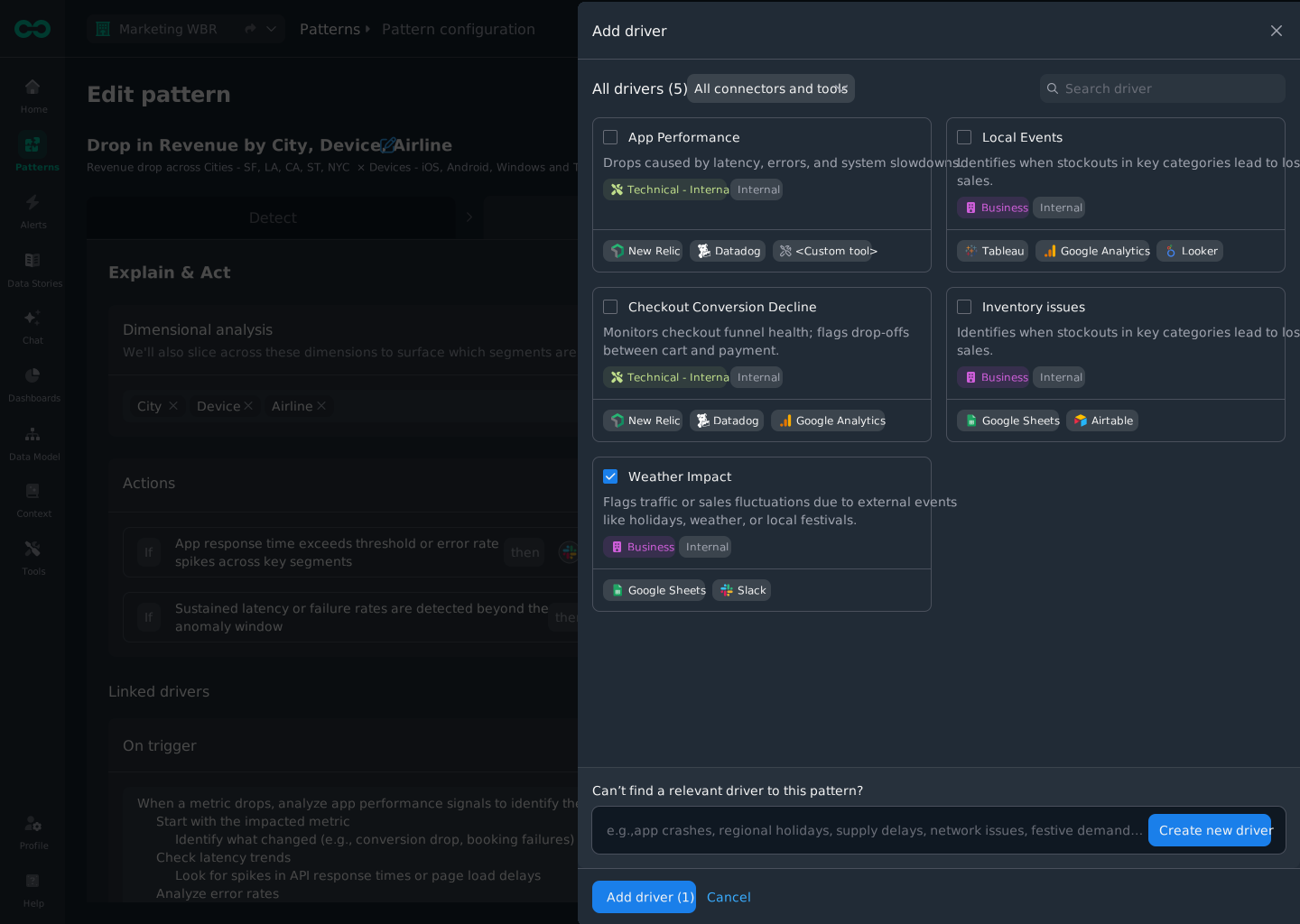
Bring evidence that lives outside the BI model: logs, deployments, tickets, incidents. Map each driver to a connector and a specific cause, then approve what can appear in business-facing explanations.
live screen
app.bicycle.ai add driverpreview
STEP 04
Set up the recommended actions
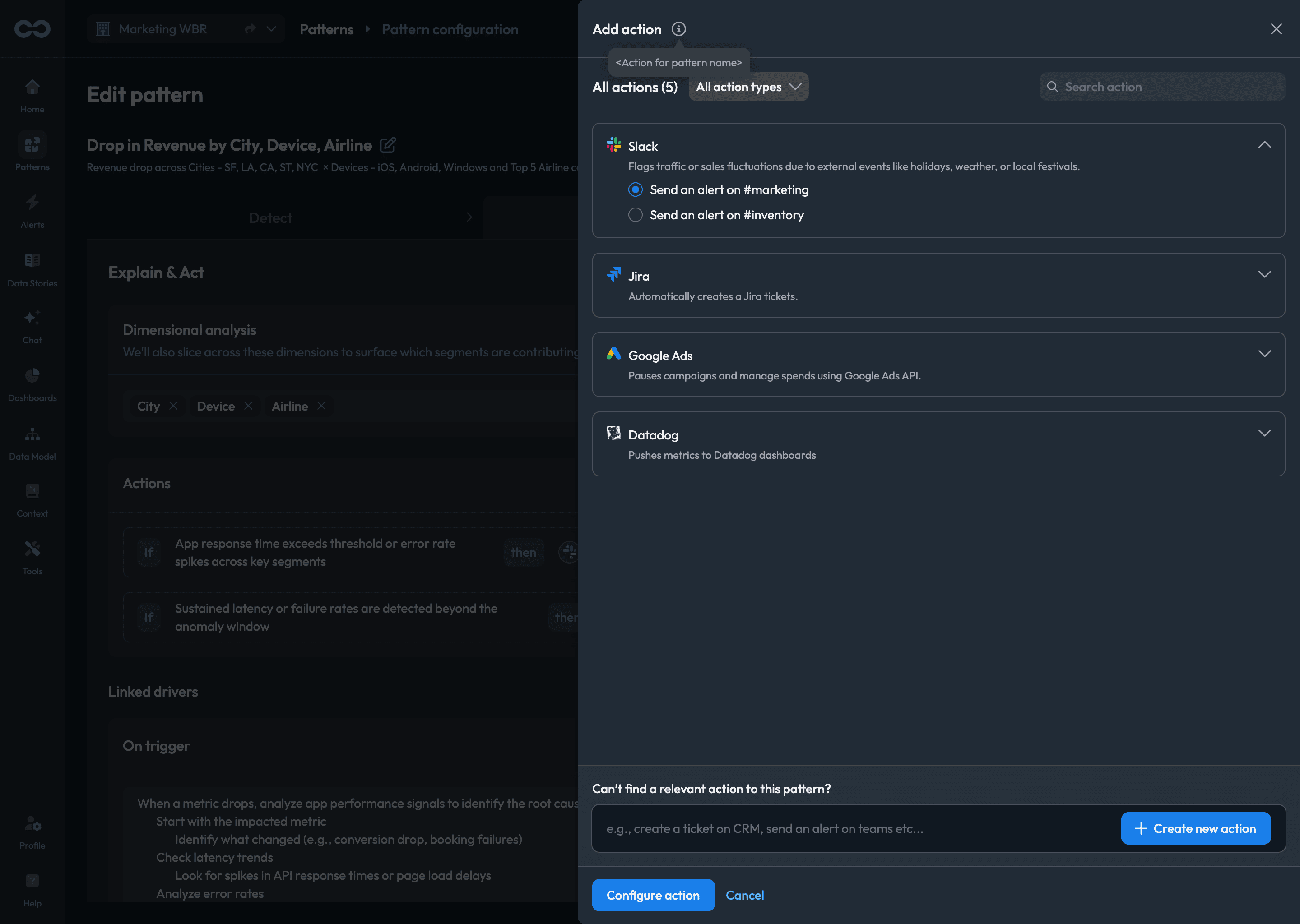
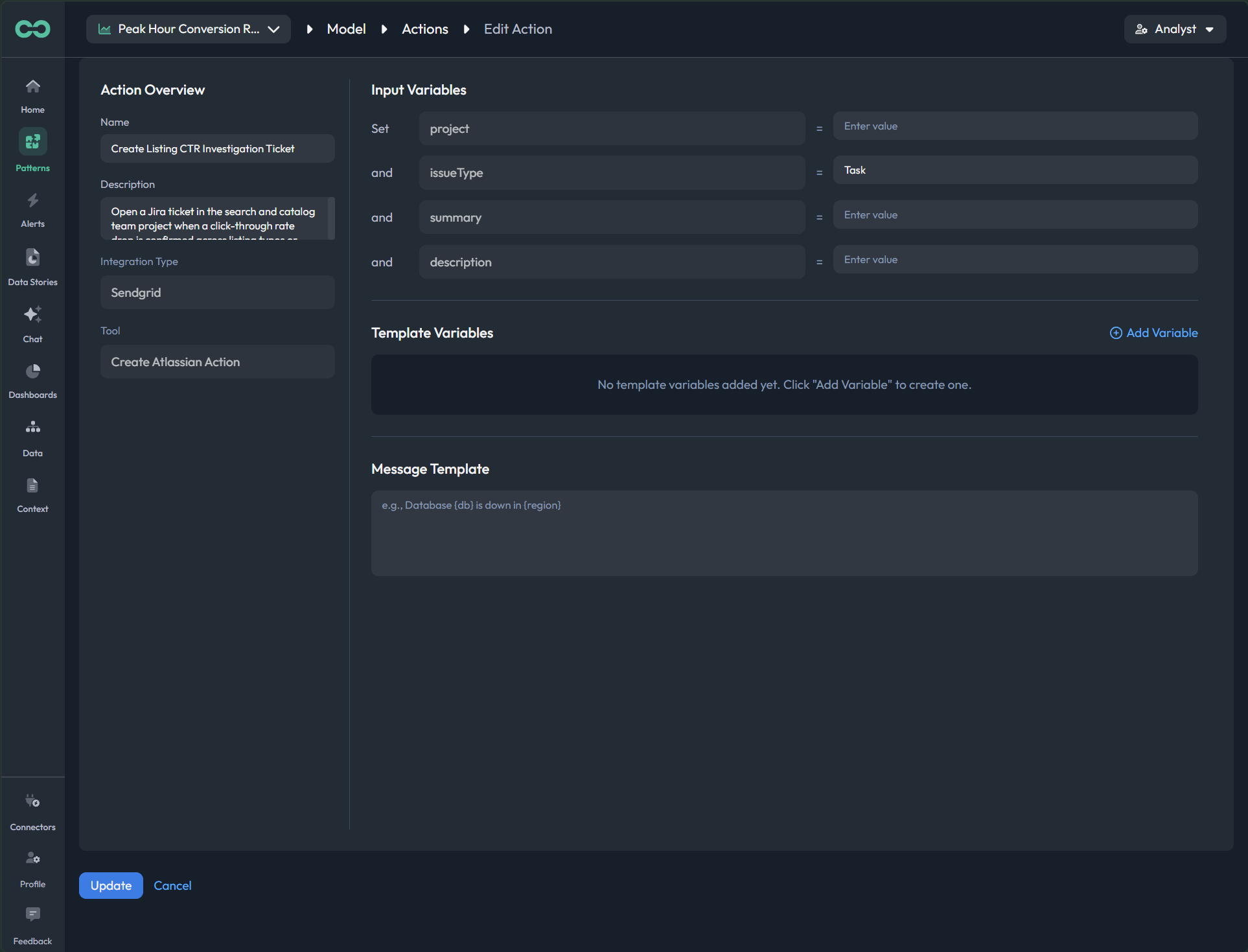
Link each cause to the next safe step. Map the action registry to a connector, set scope, owner, approval, guardrails, and reversibility, then test the preview, approval, and rollback.
live screen
app.bicycle.ai add actionpreview
The spec, at a glance
What you're getting

Detection per segment, ranked causes with evidence, and a drafted next step.

What you provide

The drivers, the evidence connectors (logs, deployments, tickets), and sign-off.

What the agent does

Runs detection on the live model and ranks likely causes across both wheels.

What you review

The driver tree, evidence, and confidence; accept, reject, annotate, or rerun.

Supported sources

The governed model plus logs, deployments, tickets, and external signals.

Security & data handling

Raw data is never sent to the AI model. AI drafts structured query artifacts evaluated inside the secure runtime, and Bicycle does not train models on your data. OpenAI runs with Zero Data Retention.

What "done" looks like

Published patterns detect per segment and explain with the evidence you approved.

What happens if…

A cause is wrong or missing? Add a driver, rerun, and republish; the change is logged.

Governance

Modeler or admin publishes patterns and approves which explanations and actions the business can use.

In practiceSet what Bicycle watches and how it explains a move, then replay the past window before you publish.
Enables business Understand
Pillar 03 · Govern

Govern self service and safe actions

Self-service breaks two ways: lock it down and nobody moves, open it up and the definitions rot. Govern roles, agent-level access, and what the business can change, in one plane.

You govern: who can see, ask, publish, and actC5Defensible answersC6Governed self service and actions
Who does the work

Your Data & Analytics team

Governance stays human. Your team sets roles, permissions, action scope, approvals. No automation runs without your explicit consent.

Human only

One plane, three controls: who holds which permission, what each agent exposes, and which changes a business user can make on their own.

app.bicycle.ai roles
Roles & permissionswho can do what
PermissionModelerAnalystBusiness
Run
Approve
Publish
Subscribe
Request
Edit definitions
app.bicycle.ai agent access
Agent access scopepreview as role
KPIs & definitionsread
Recommended actionsscoped
Context libraryread
Dashboards & storiesowned
Raw model configblocked
Viewing as Business user ▾. Blocked items never reach this view.
app.bicycle.ai modifications
Permitted modificationspropose → confirm
01 Propose
Business edits
Subscribe, generate a story, build a dashboard.
02 Review
Analyst sign-off
Shared or higher-risk changes route for approval.
03 Publish
Shared truth
Versioned, reversible, and logged.
Personal: instantShared: routedPublished: versioned
The governing screens, one by oneThe plane above, as real product screens. All pending commissioning.
STEP 01
Set roles and permissions
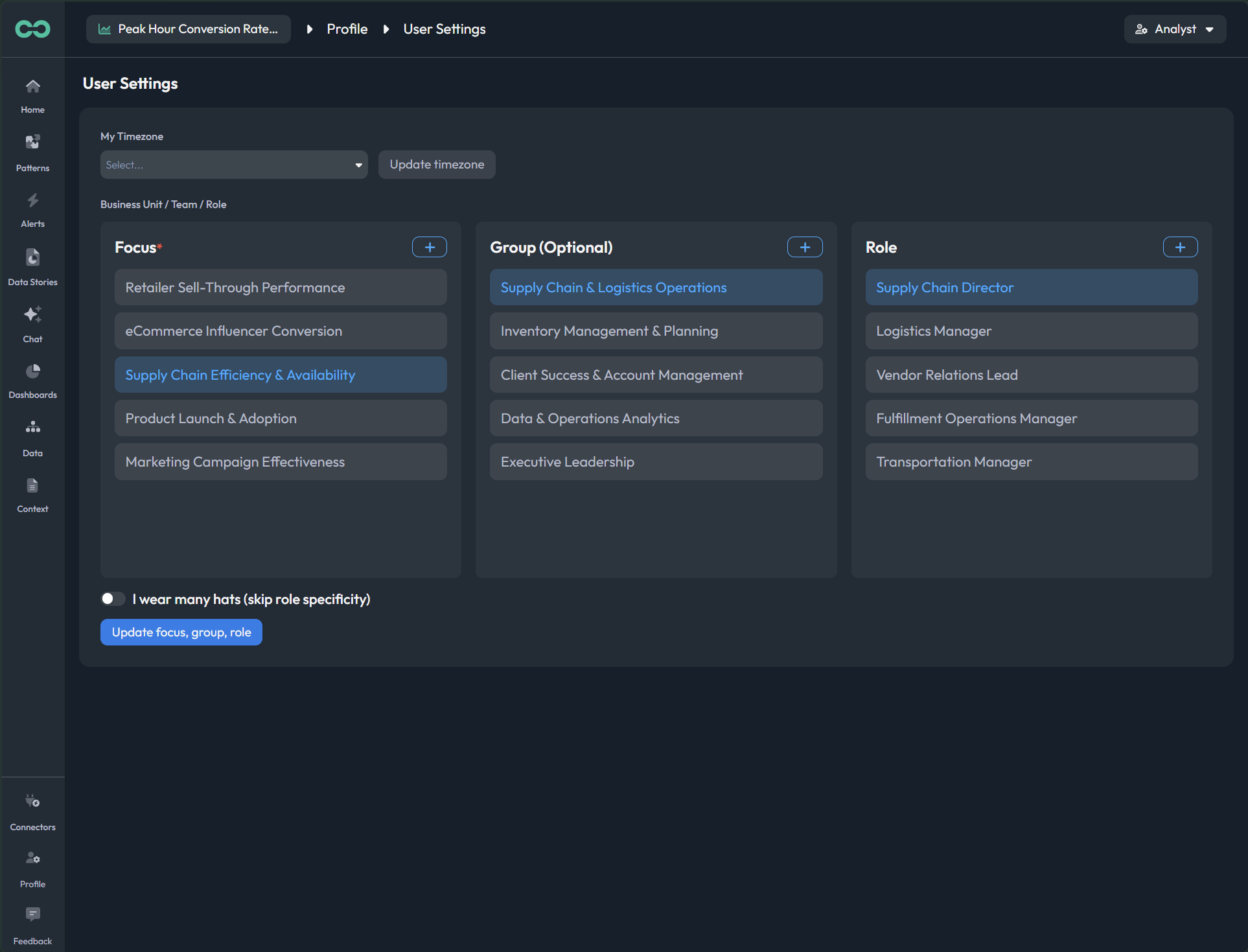
Decide who can run, approve, publish, subscribe, request, and edit definitions, then configure SSO for identity.
live screen
app.bicycle.ai governancepreview
STEP 02
Scope agent-level access
Set what each agent exposes per role, and preview the app as that role before you save.
live screen
app.bicycle.ai governancepreview
STEP 03
Approve a scoped action
Review a higher-risk action with its scope and rollback path attached, then approve or reject.
live screen
app.bicycle.ai actionspreview
The spec, at a glance
What you're getting

Role-based access, agent-level scope, and a propose-review-publish path.

What you provide

The role model, and which changes a business user can make on their own.

What the agent does

Applies roles and agent access across surfaces; routes risky changes for review.

What you review

Shared and higher-risk changes, before they become published truth.

Supported sources

SSO for identity, plus the role model and governed assets you control.

Security & data handling

Access is controlled through RBAC, tenant-aware permissions, approvals for risky changes, and audit trails. SSO is live and configurable.

What "done" looks like

The business self-serves on governed assets; your team keeps definitions and actions.

What happens if…

Someone asks beyond their scope? It routes for review; every decision is logged.

Governance

Personal changes are instant. Shared changes route for review. Everything is versioned, reversible, and logged.

In practiceGive the business self-service on governed assets while your team keeps control of definitions and actions.
Enables business Act

What your team walks away with

You connected the data once, tuned how Bicycle detects and explains change, and set the guardrails. Here is what that returns to your team.

01
Analyst velocity
Less time on data prep, definitions, and recurring KPI firefighting. More time on the answers that move the business. The onboarding agent, the patterns, and the cause analysis carry the repeatable work.
02
Trusted, high-quality decisions with lower risk
One source of truth across teams and tools. Governed definitions, lineage and decision memory mean outputs everyone can act on, without trading speed for safety.

Launch your first agent.

Connect a source, apply the vertical pack, and review your first governed agent with the cause and the definitions attached. In days, not quarters.

Book a demo

Set up Bicycle for your data team

Connect and model the data once, tune how Bicycle detects and explains change, and set the guardrails that let the business self-serve on numbers it can defend. Every move shows what you decide and what Bicycle drafts.
Build the foundation. Tune the intelligence. Govern self-service.
Pillar 01 · Build

Build the trusted foundation

Stop building a new analytics project for every question. Connect once, approve the model once, and every answer the business gets inherits that trust.

You govern: the data model and the KPI definitions  ·  Rapid activation · Vertical native context · Defensible answers
Bicycle drafts the first pass. It proposes events, dimensions, KPIs, cohorts, context, and starter patterns from approved sources. Your Data & Analytics team reviews the first pass, then manages the model over time.
What you're getting
A governed data model: approved KPI definitions, relationships, dimensions, and lineage the whole business inherits.
What you provide
Read access to the sources that drive your KPIs, plus your context docs.
What Bicycle drafts
Inspects the sources and proposes events, dimensions, KPIs, cohorts, context, and starter patterns.
What you review and manage
Definitions, formulas, dimensions, cohorts, and lineage before anything reaches business views, then over time.
Supported sources
Warehouses, databases, streams, files, and operational systems; dbt import.
Security & data handling
Customer-approved sources only. AES-256 at rest, TLS in transit. SaaS on GCP (US) with tenant isolation, or BYOC where raw data stays in your cloud.
What "done" looks like
Every business-facing KPI carries an approved definition, formula, relationship, dimension context, and lineage.
What happens if…
A source changes or a definition needs an edit? Update once; downstream trust holds.
Governance. Nothing reaches business users until a modeler or admin signs off. Every change is logged.
Pillar 02 · Tune

Tune the intelligence layer

Detection scattered across dashboards, SQL alerts, and analyst habit misses the one segment that matters. Tune what Bicycle watches, how it explains a move, and the safe next step, once, in one layer.

You govern: the detection logic, the cause model, and the action guardrails  ·  Always on KPI Intelligence · Multi factor cause Analysis · Governed actions
Pattern Agent + Triage Agent (Human-in-the-loop). The Pattern Agent watches your governed KPIs per segment and surfaces what changed. The Triage Agent ranks the likely causes with evidence and drafts the recommended action. Your team approves what they watch, explain, and do, before the business sees it.
What you're getting
Detection per segment, ranked causes with evidence, and a drafted next step.
What you provide
The drivers, the evidence connectors (logs, deployments, tickets), and sign-off.
What the agent does
Runs detection on the live model and ranks likely causes across both wheels.
What you review
The driver tree, evidence, and confidence; accept, reject, annotate, or rerun.
Supported sources
The governed model plus logs, deployments, tickets, and external signals.
Security & data handling
Raw data is never sent to the AI model. AI drafts structured query artifacts evaluated inside the secure runtime, and Bicycle does not train models on your data. OpenAI runs with Zero Data Retention.
What "done" looks like
Published patterns detect per segment and explain with the evidence you approved.
What happens if…
A cause is wrong or missing? Add a driver, rerun, and republish; the change is logged.
Governance. Modeler or admin publishes patterns and approves which explanations and actions the business can use.
Pillar 03 · Govern

Govern self service and safe actions

Self-service breaks two ways: lock it down and nobody moves, open it up and the definitions rot. Govern roles, agent-level access, and what the business can change, in one plane.

You govern: who can see, ask, publish, and act  ·  Defensible answers · Governed self service and actions
Your Data & Analytics team (human only). Governance stays human. Your team sets roles, permissions, action scope, approvals. No automation runs without your explicit consent.
What you're getting
Role-based access, agent-level scope, and a propose-review-publish path.
What you provide
The role model, and which changes a business user can make on their own.
What the agent does
Applies roles and agent access across surfaces; routes risky changes for review.
What you review
Shared and higher-risk changes, before they become published truth.
Supported sources
SSO for identity, plus the role model and governed assets you control.
Security & data handling
Access is controlled through RBAC, tenant-aware permissions, approvals for risky changes, and audit trails. SSO is live and configurable.
What "done" looks like
The business self-serves on governed assets; your team keeps definitions and actions.
What happens if…
Someone asks beyond their scope? It routes for review; every decision is logged.
Governance. Personal changes are instant. Shared changes route for review. Everything is versioned, reversible, and logged.

What your team walks away with

You connected the data once, tuned how Bicycle detects and explains change, and set the guardrails. Here is what that returns to your team.

Analyst velocity
Less time on data prep, definitions, and recurring KPI firefighting. More time on the answers that move the business. The onboarding agent, the patterns, and the cause analysis carry the repeatable work.
Trusted, high-quality decisions with lower risk
One source of truth across teams and tools. Governed definitions, lineage and decision memory mean outputs everyone can act on, without trading speed for safety.
Bicycle · Revenue acceleration for high-velocity businesses · Draft for internal review